¶ Creating a volume
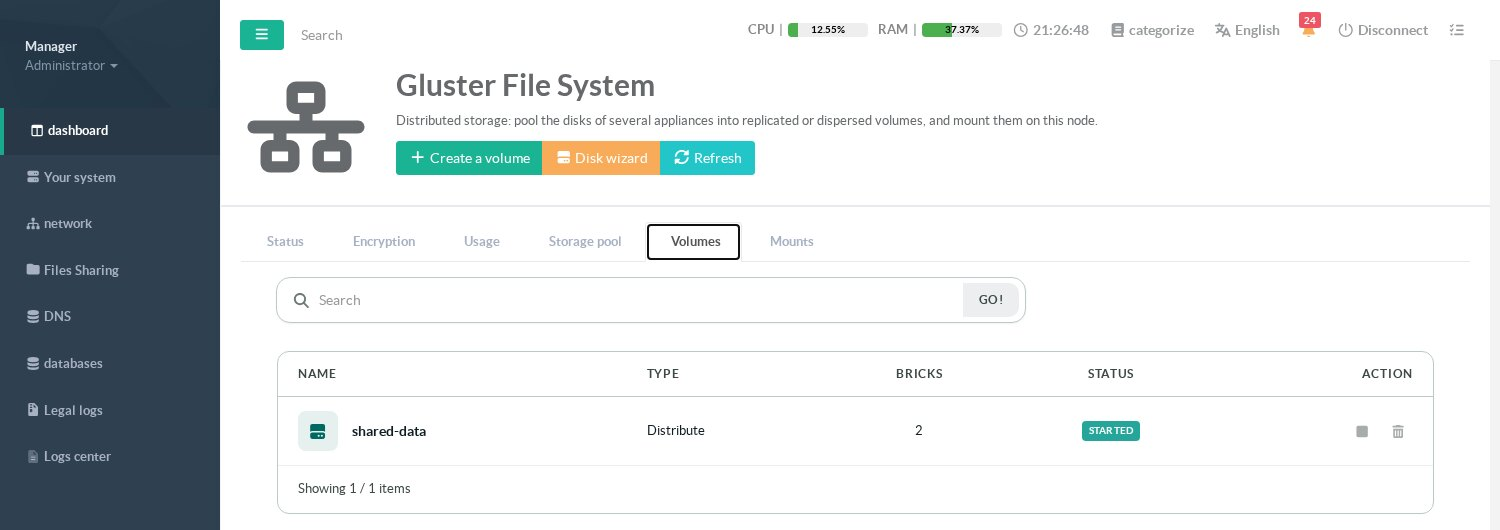
In the Volumes tab, click Create a volume. The wizard has four steps.
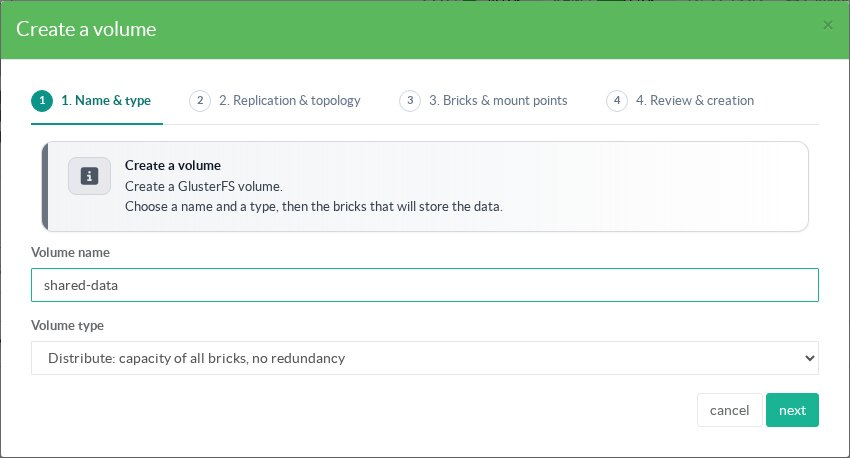
1. Name and type: letters, digits, - and _; choose Distribute, Replica, Arbiter or Disperse (see Volume types).
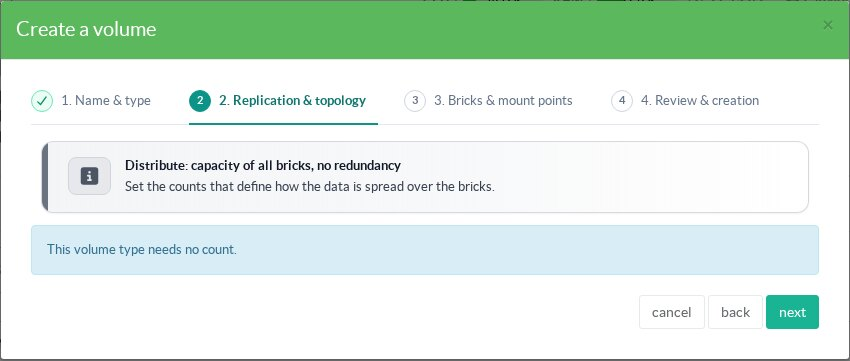
2. Replication and topology: the number of copies (replica) or the number of bricks and the redundancy of a set (disperse). A distributed volume needs no count.
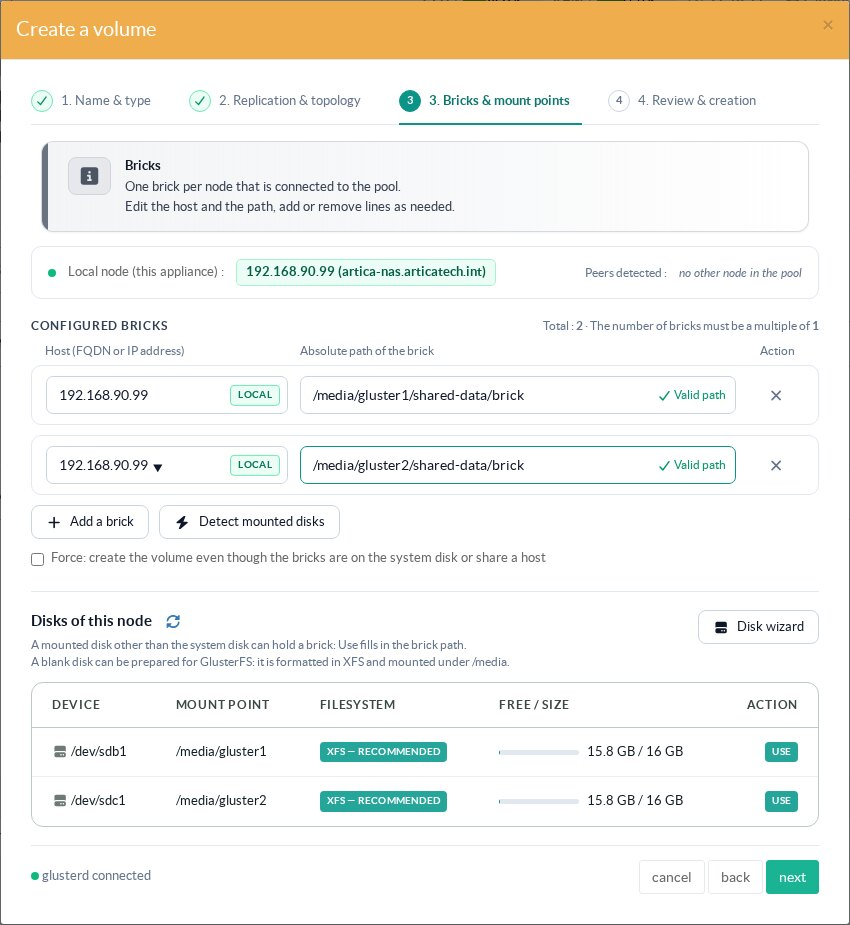
3. Bricks: one line per brick, with its host and its absolute path. The wizard pre-fills one line per connected node, proposes a path on a dedicated disk of this node, tags each line LOCAL, PEER or not in pool, checks each path and shows the disks of this node (Use fills the path). The number of bricks must be a multiple of the set size. Force is only needed to accept a brick on the system disk or two copies on the same host, which you should avoid.
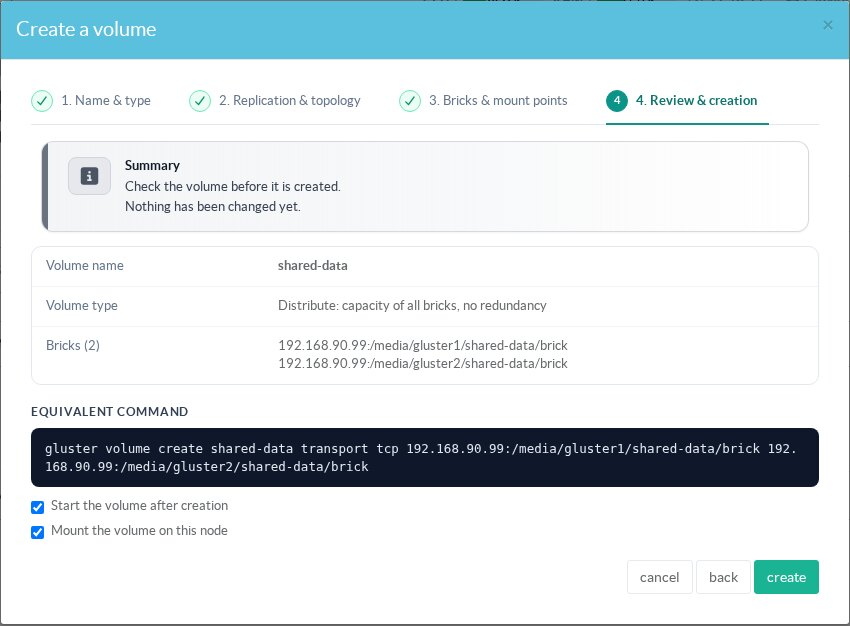
4. Review and creation: nothing has been changed yet. The summary shows the bricks and the equivalent gluster volume create command. Keep Start the volume after creation and Mount the volume on this node checked to chain directly into the mount wizard.
The volume is then listed in the Volumes tab with its type, its number of bricks and its state. The actions start/stop and delete it; deleting a volume never erases the files stored in its bricks.
¶ Volume settings
Click the name of a volume to open its management window.
The Bricks and Self-heal tabs are described in Disks and bricks.
¶ Options
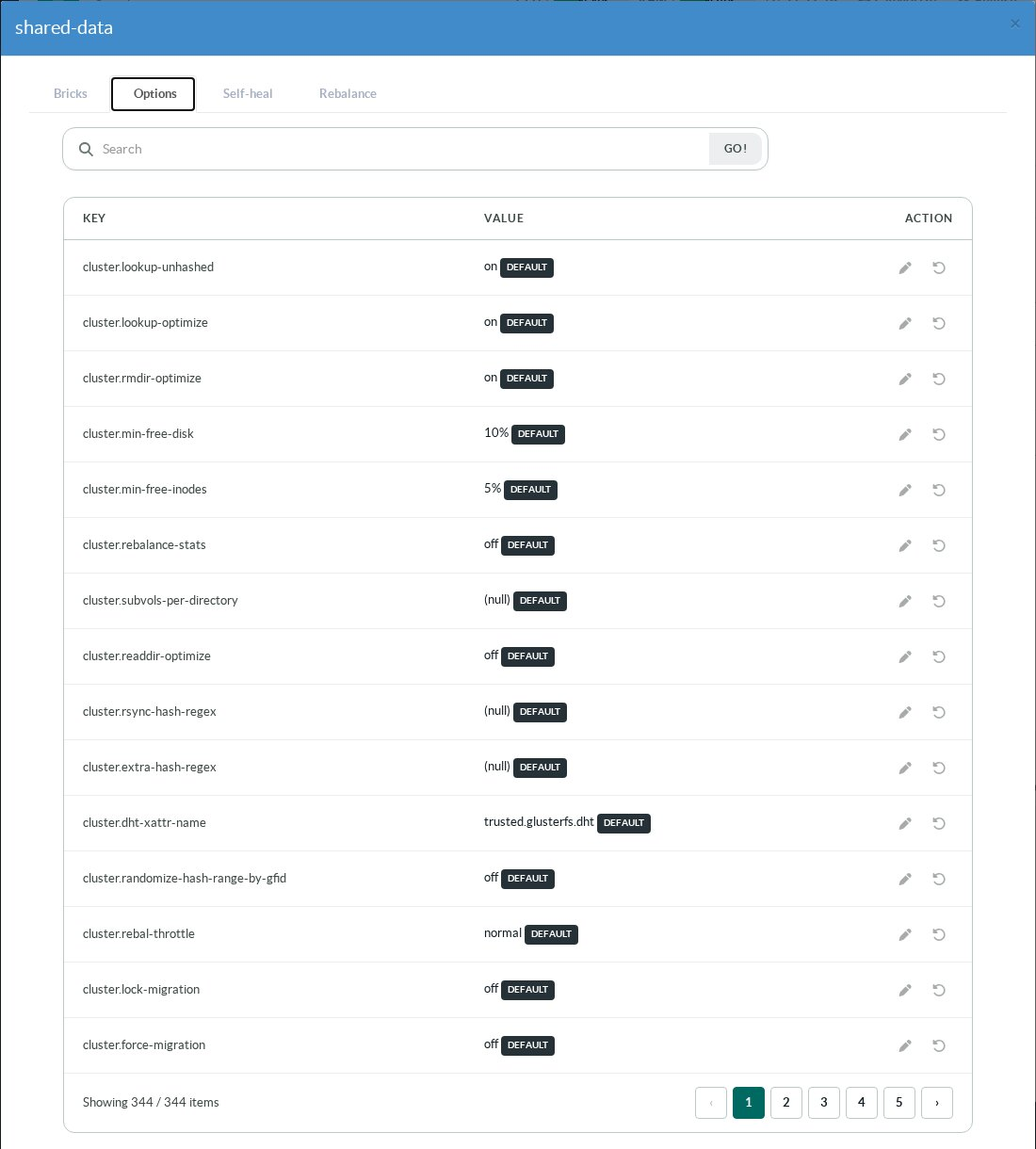
The Options tab lists every option of the volume with its current value; DEFAULT marks a value that was never changed. The pencil modifies an option, the arrow resets it to its default. The TLS options are managed by the Encryption tab and cannot be changed here.
¶ Rebalance
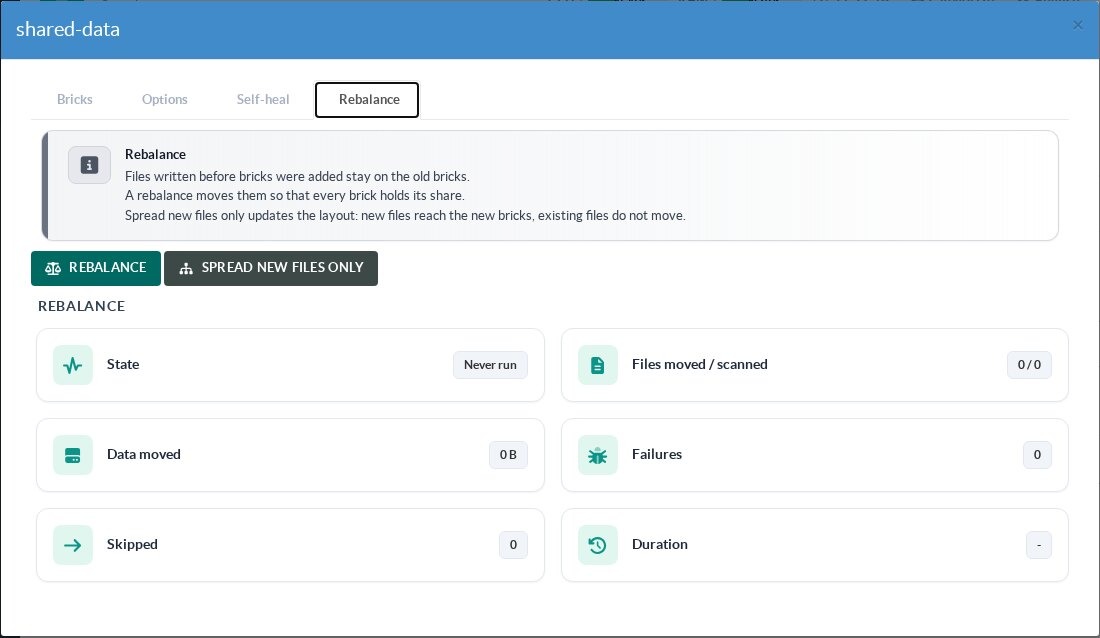
The Rebalance tab appears when a volume has at least two distribution sets. Files written before bricks were added stay on the old bricks: Rebalance moves them so that every brick holds its share; Spread new files only (fix-layout) only updates the layout, so that new files reach the new bricks without moving the existing ones. The tab shows the state, the files moved and scanned, the data moved, the failures and the duration. Bricks cannot be added, removed or replaced while a rebalance runs.
¶ Other pages of this guide
- Installation and activation
Requirements, installation, activation, firewall and client networks, backup, stopping and disabling GlusterFS on an Artica appliance. - Storage pool
Link Artica appliances into a GlusterFS storage pool, check their connection state and detach a node. - Volumes
Create a GlusterFS volume with the wizard, list volumes, change volume options and rebalance a volume after adding bricks. - Disks and bricks
Prepare XFS disks, add, remove and replace the bricks of a GlusterFS volume, and follow the self-heal. - Mounting volumes
Mount a GlusterFS volume on an Artica appliance with persistent mounts, backup volfile servers and mount options. - Encryption (TLS)
Encrypt GlusterFS management and data traffic with a pool certificate authority managed by Artica, and issue certificates for external clients. - Monitoring, alerts and troubleshooting
Usage charts, space, brick and self-heal alerts of GlusterFS volumes, and troubleshooting.