¶ Encryption (TLS)
By default GlusterFS traffic is not encrypted. The Encryption tab encrypts it with TLS, with a certificate authority (CA) dedicated to the pool and managed by Artica.
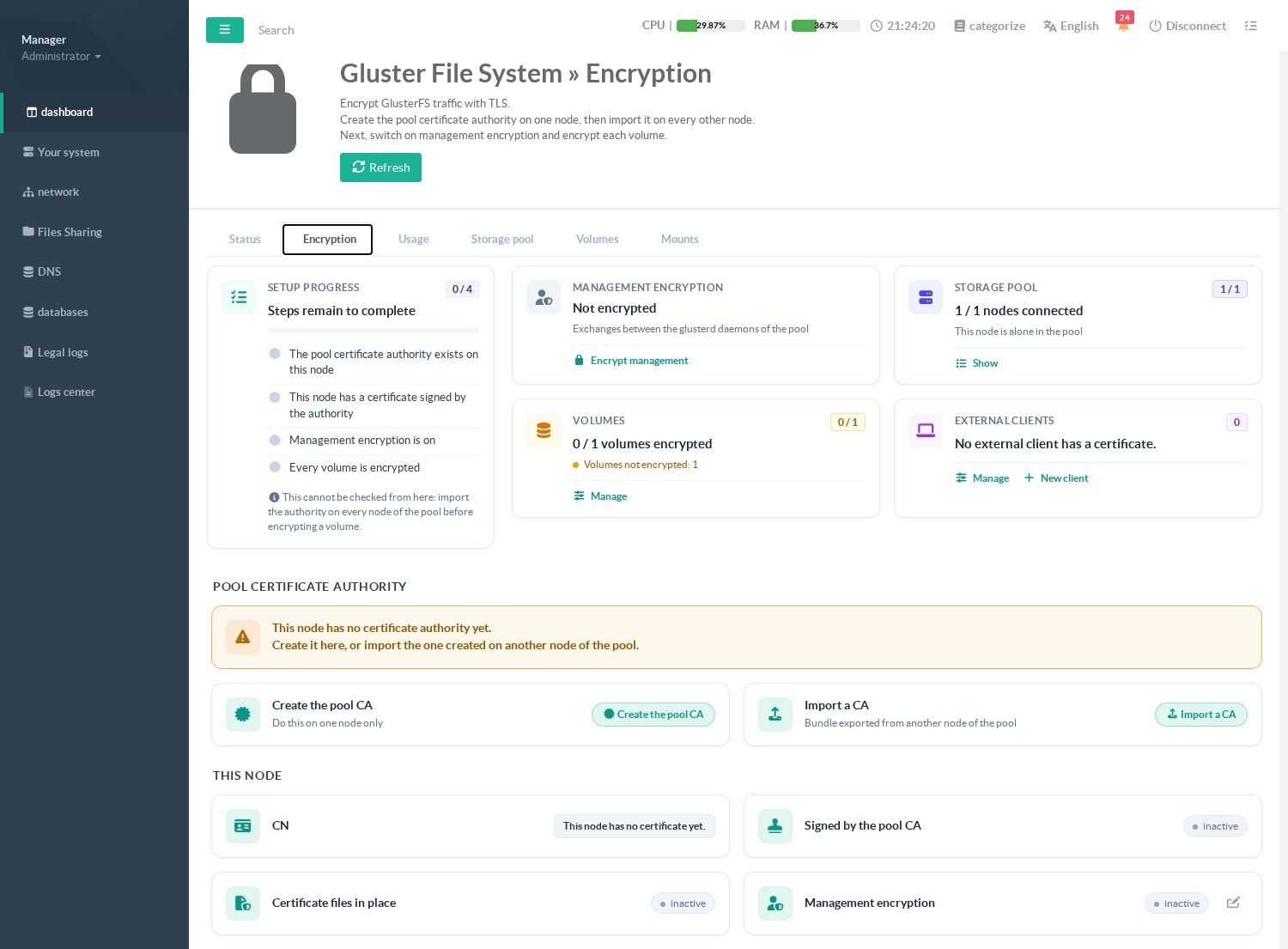
The Setup progress card follows the four steps:
- Create the pool CA on one node only. Then export it as a bundle protected by a password (12 characters minimum) and import it on every other node of the pool.
- Each node receives a certificate signed by the CA, named after its GlusterFS identifier; Artica renews it automatically before it expires.
- Encrypt management: encrypts the exchanges between the
glusterddaemons. This is a maintenance operation: it is refused while a started volume has a brick on this node, because the running bricks and mounts would lose their connection. Stop the volumes, switch every node, then start the volumes again. - Encrypt each volume (tile Volumes » Manage): the bricks then only accept clients holding a certificate of the CA whose name is allowed. Artica allows the nodes of the pool automatically and restarts the mounts of this node; the mounts of the other nodes come back within 5 minutes.
A Linux server outside the pool that mounts an encrypted volume needs a client certificate: External clients » New client issues one for the volumes you select. The certificate and its private key are downloaded once: Artica never stores the private key of a client.
The pool CA is saved in the Artica snapshots. Keep the export bundle and its password: a node rebuilt from scratch needs the same CA to rejoin an encrypted pool.
¶ Other pages of this guide
- Installation and activation
Requirements, installation, activation, firewall and client networks, backup, stopping and disabling GlusterFS on an Artica appliance. - Storage pool
Link Artica appliances into a GlusterFS storage pool, check their connection state and detach a node. - Volumes
Create a GlusterFS volume with the wizard, list volumes, change volume options and rebalance a volume after adding bricks. - Disks and bricks
Prepare XFS disks, add, remove and replace the bricks of a GlusterFS volume, and follow the self-heal. - Mounting volumes
Mount a GlusterFS volume on an Artica appliance with persistent mounts, backup volfile servers and mount options. - Encryption (TLS)
Encrypt GlusterFS management and data traffic with a pool certificate authority managed by Artica, and issue certificates for external clients. - Monitoring, alerts and troubleshooting
Usage charts, space, brick and self-heal alerts of GlusterFS volumes, and troubleshooting.