¶ Mounting a volume
The mount wizard opens after a creation, or from the Mounts tab with Mount a volume.
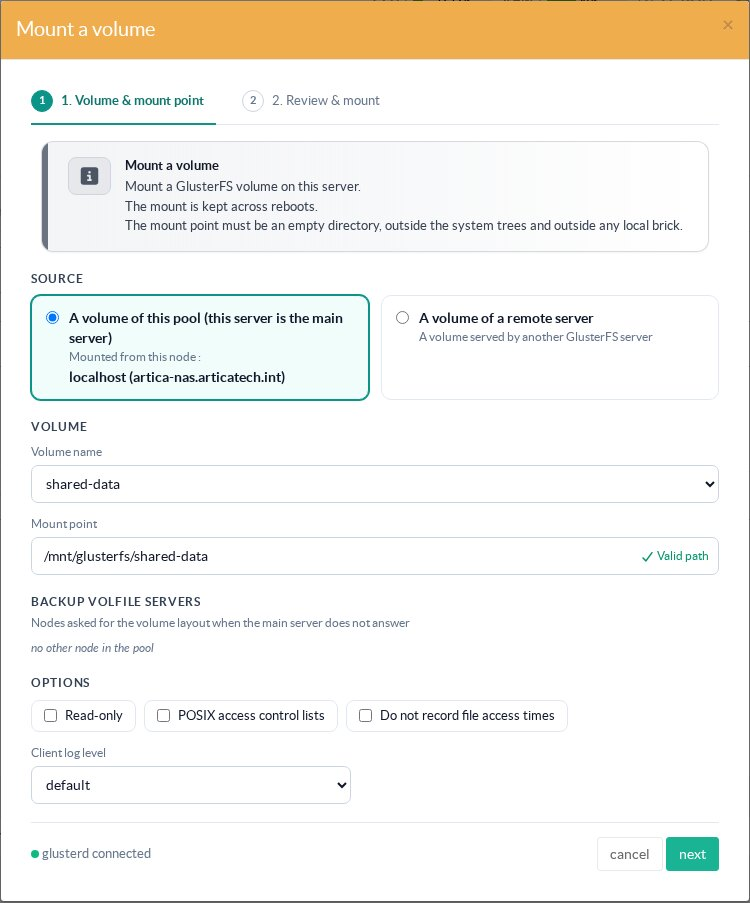
- Source: a volume of this pool (this node is the volfile server), or a volume of a remote GlusterFS server (type its address and the volume name).
- Mount point: an empty directory, outside the system trees and outside any local brick. The default is
/mnt/glusterfs/<volume>. - Backup volfile servers: the other nodes of the pool asked for the layout when the main server does not answer. Select them on a multi-node pool so that the mount survives the loss of the main server.
- Options: Read-only (
ro), POSIX access control lists (acl), Do not record file access times (noatime, recommended for performance), and the client log level.
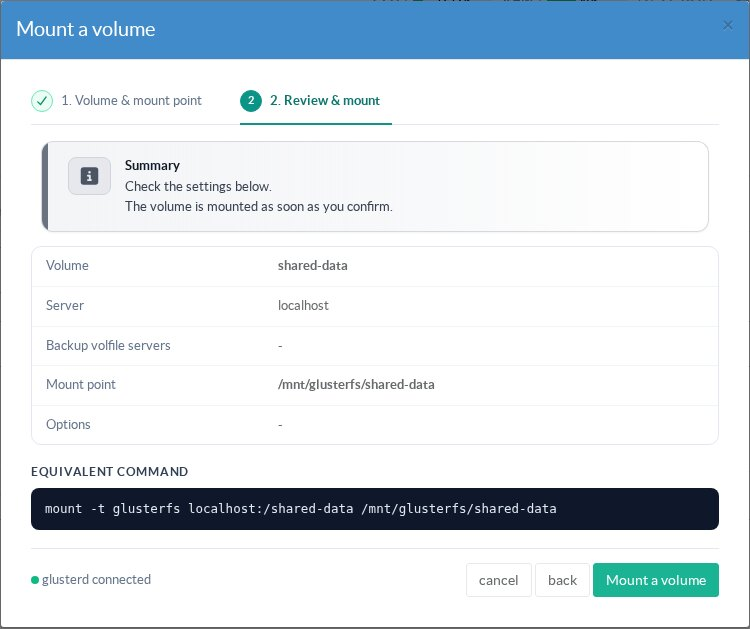
The second step shows the summary and the equivalent mount -t glusterfs command:
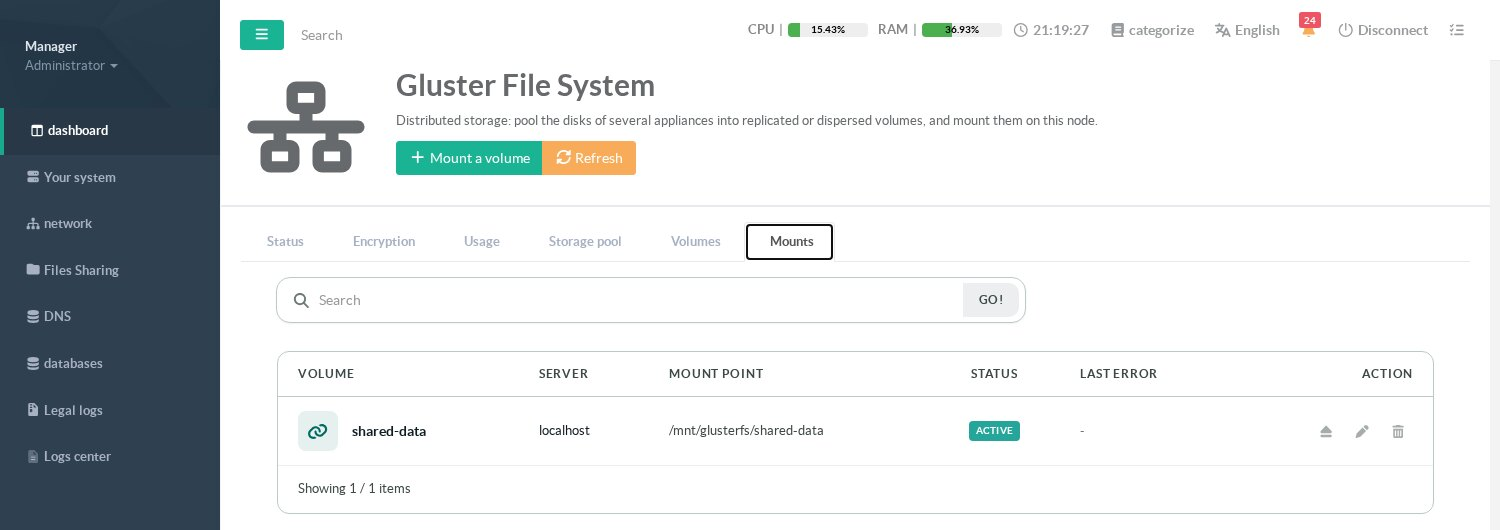
The Mounts tab lists every mount of this node with its state and its last error. A mount is a persistent systemd unit: it is mounted again at boot and after a crash of the client. The actions unmount/mount, modify and delete it (deleting a mount never touches the data of the volume).
¶ Other pages of this guide
- Installation and activation
Requirements, installation, activation, firewall and client networks, backup, stopping and disabling GlusterFS on an Artica appliance. - Storage pool
Link Artica appliances into a GlusterFS storage pool, check their connection state and detach a node. - Volumes
Create a GlusterFS volume with the wizard, list volumes, change volume options and rebalance a volume after adding bricks. - Disks and bricks
Prepare XFS disks, add, remove and replace the bricks of a GlusterFS volume, and follow the self-heal. - Mounting volumes
Mount a GlusterFS volume on an Artica appliance with persistent mounts, backup volfile servers and mount options. - Encryption (TLS)
Encrypt GlusterFS management and data traffic with a pool certificate authority managed by Artica, and issue certificates for external clients. - Monitoring, alerts and troubleshooting
Usage charts, space, brick and self-heal alerts of GlusterFS volumes, and troubleshooting.