¶ Requirements
- Artica on Debian 12 or Debian 13, on every node.
- One dedicated disk per brick, formatted in XFS (the Disk wizard does it). A brick on the system disk is refused unless you force it.
- Nodes reachable from each other on TCP 24007-24008 (management) and 49152-49251 (bricks), with a low latency link: GlusterFS writes synchronously to every copy.
- Bricks and mounts use IPv4 addresses or host names resolvable by every node.
- Synchronized clocks (NTP) on every node.
- For redundancy, at least 3 nodes (replica 3 or arbiter), or 2 nodes plus a small third node for the arbiter brick.
¶ Installation and activation
GlusterFS is reached from the left menu: Your system » Your hard disks » Gluster File System. The entry is always visible: when the package is not installed, the page itself offers to install it.
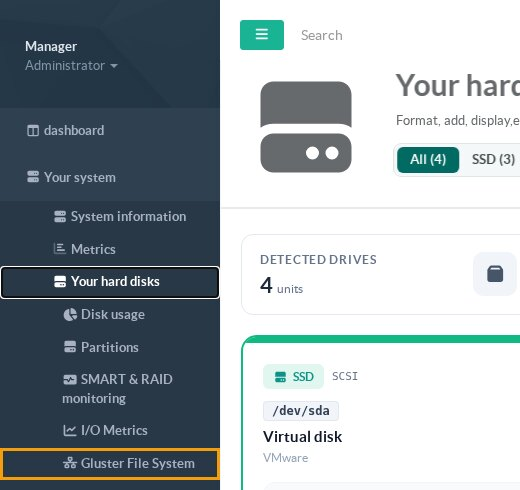
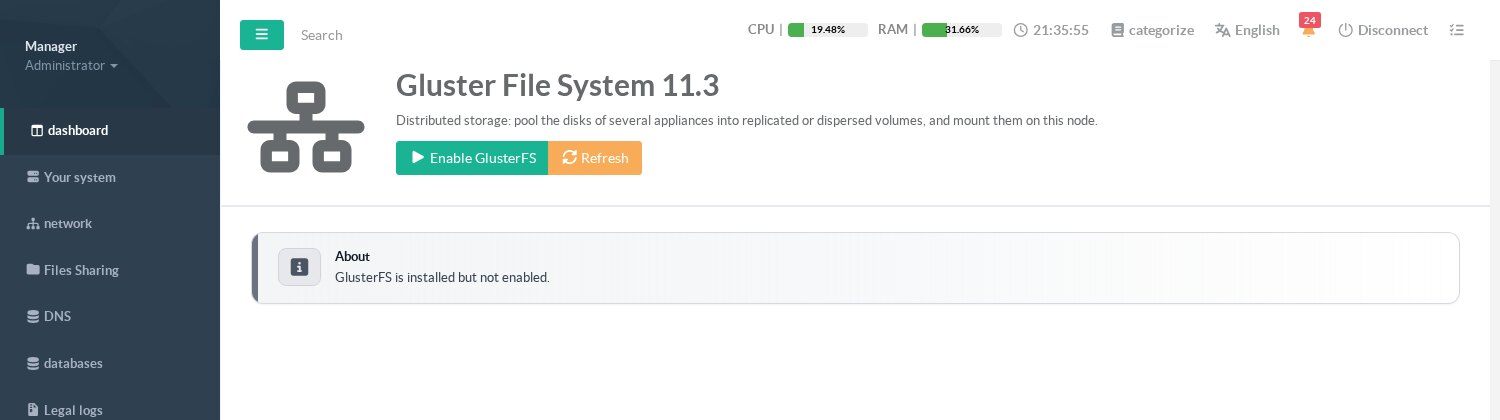
- Open Gluster File System and click Install (or Install or upgrade in the header). Artica downloads the GlusterFS package of your Debian version from the Artica repository and installs it.
- Once installed, click Enable GlusterFS in the header. Artica creates the systemd unit, the monit watchdog, the mount helper and starts
glusterd. - Repeat on every appliance that will be part of the pool.
The Status tab then shows the service and a summary of the storage:
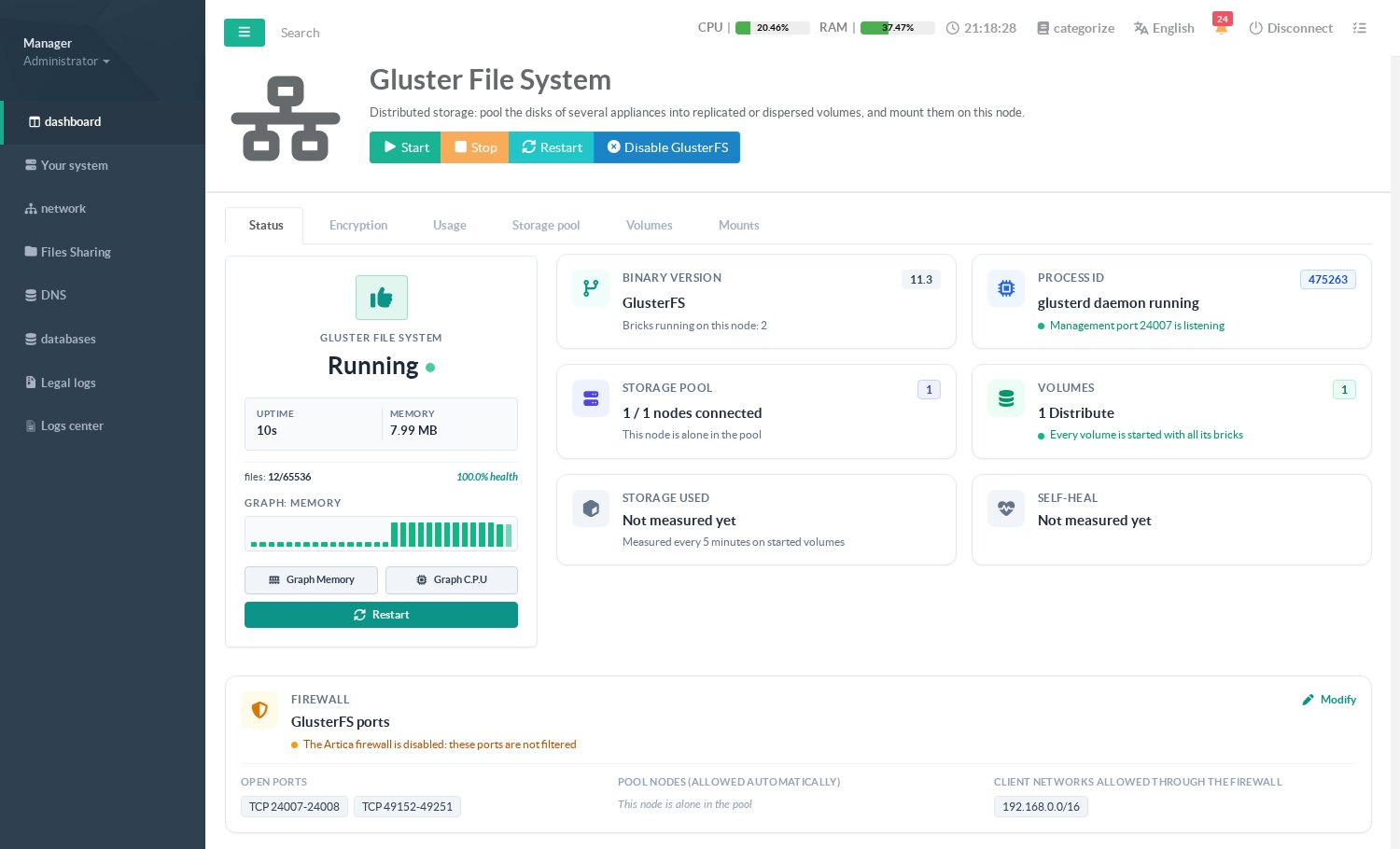
- Binary version: the GlusterFS version installed and the number of bricks running on this node.
- Process ID: the
glusterddaemon and whether the management port 24007 is listening. - Storage pool: connected nodes of the pool.
- Volumes: number of volumes, and whether they are all started with all their bricks.
- Storage used and Self-heal: the last measurement (every 5 minutes, on started volumes).
The header buttons Start, Stop and Restart act on the management daemon glusterd only: Stop does not interrupt the data, the bricks and the mounts keep serving. A daemon stopped from here is stopped on purpose: the watchdog does not restart it until you click Start.
¶ Firewall
The Firewall tile lists the ports GlusterFS needs, the nodes of the pool (always allowed) and the client networks, that is the networks of machines outside the pool that mount a volume. These rules are applied only when the Artica firewall is enabled.

Click Modify to manage the client networks, then New network to add an IPv4 address or a network in CIDR notation:
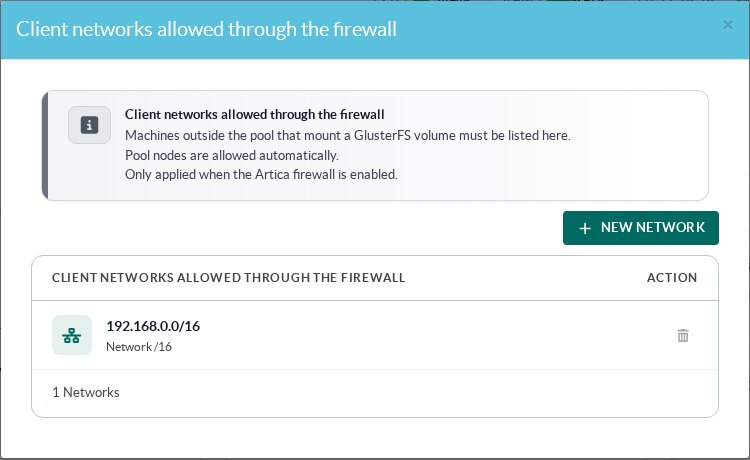
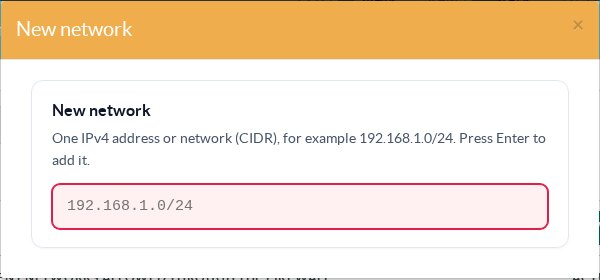
Important: when you link a node whose Artica firewall is enabled, add the address of the node you are working from to its client networks first; otherwise the firewall of that node refuses the connection before it knows it is part of the pool.
¶ Backup and restore
The Artica snapshots include the GlusterFS configuration of the node (/var/lib/glusterd: identity of the node, peers, volume definitions) and its TLS material. Restoring a snapshot on a rebuilt node gives it back its identity and its volumes; the data itself stays on the bricks, and the self-heal synchronizes a replicated brick that was offline. The snapshots do not contain the data of the volumes: back up the files of a volume like any other directory, from a mount.
¶ Stopping and disabling
- Stop stops
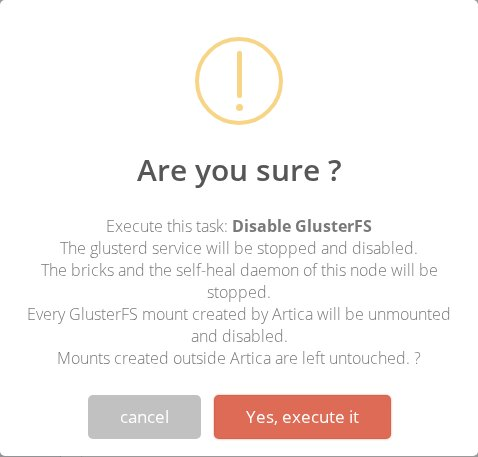
glusterdonly; bricks and mounts keep serving the data. - Disable GlusterFS stops everything on this node: the bricks, the self-heal daemon and the mounts (which are kept in the list, disabled). It is refused while this node holds a brick of a volume or while it is part of a pool of several nodes: remove the bricks or delete the volumes, and detach the node first. Enabling GlusterFS again does not re-mount anything automatically.
¶ Other pages of this guide
- Installation and activation
Requirements, installation, activation, firewall and client networks, backup, stopping and disabling GlusterFS on an Artica appliance. - Storage pool
Link Artica appliances into a GlusterFS storage pool, check their connection state and detach a node. - Volumes
Create a GlusterFS volume with the wizard, list volumes, change volume options and rebalance a volume after adding bricks. - Disks and bricks
Prepare XFS disks, add, remove and replace the bricks of a GlusterFS volume, and follow the self-heal. - Mounting volumes
Mount a GlusterFS volume on an Artica appliance with persistent mounts, backup volfile servers and mount options. - Encryption (TLS)
Encrypt GlusterFS management and data traffic with a pool certificate authority managed by Artica, and issue certificates for external clients. - Monitoring, alerts and troubleshooting
Usage charts, space, brick and self-heal alerts of GlusterFS volumes, and troubleshooting.