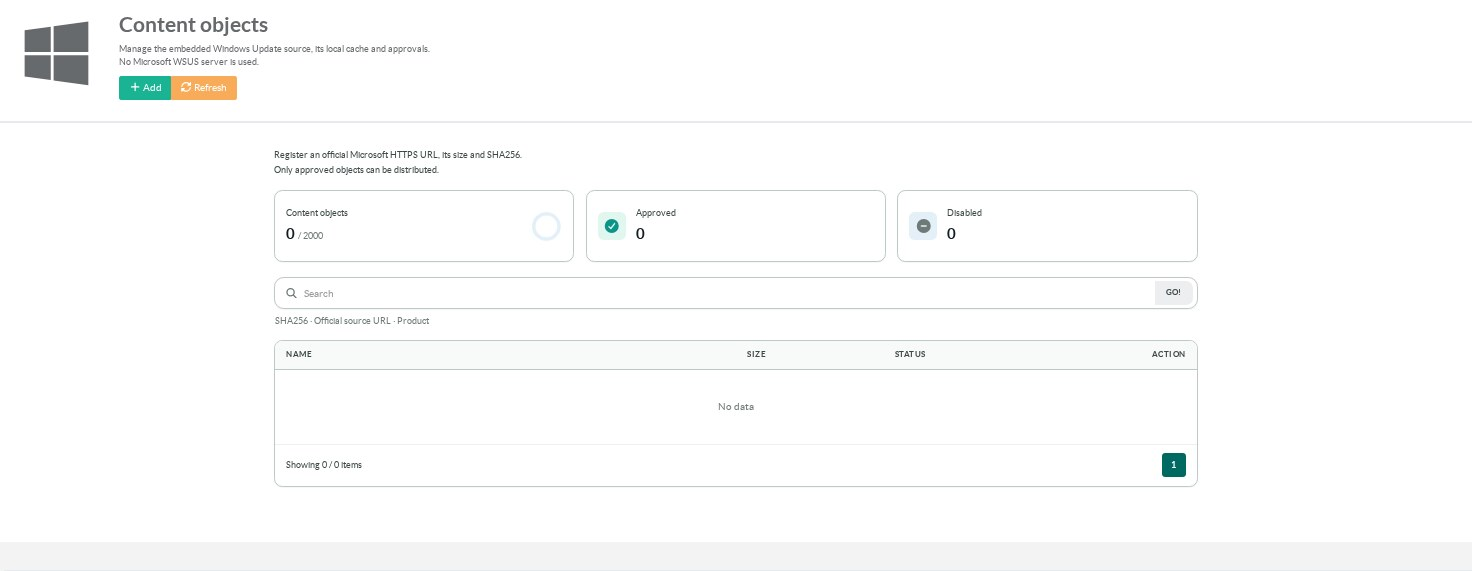
Open Content objects.
The summary counts registered, approved and disabled objects.
Search by SHA256, official source URL or product.
¶ Add an object
- Obtain the official HTTPS source URL, exact file size and SHA256 from a trusted source.
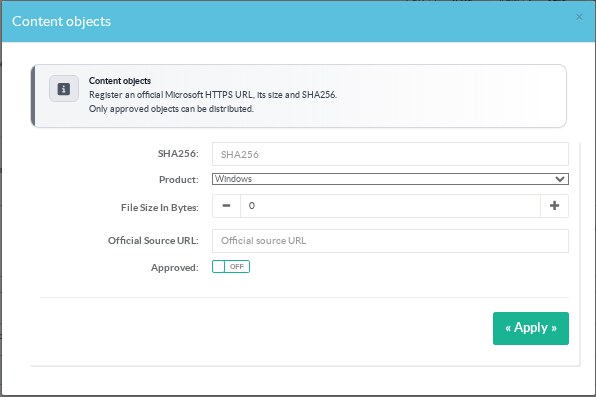
- Click Add.
- Enter the SHA256 and file size in bytes.
- Select Windows or an enabled Office product.
- Enter the exact official source URL.
- Enable Approved only after checking the file information.
- Apply the form.
A locally calculated hash identifies the file you have.
It does not establish that the file came from Microsoft.
Use trusted metadata or another verified source for the expected values.
Adding an object does not download it immediately.
¶ Source restrictions
Sources use HTTPS on allowed Microsoft content domains.
These include download.windowsupdate.com, dl.delivery.mp.microsoft.com and download.microsoft.com.
Click-to-Run objects can also use officecdn.microsoft.com.
Private destinations and unauthorized redirects are rejected.
Keep the exact path and query string of a signed URL.
A signed URL can expire.
Replace an expired source URL through the object settings.
Do not publish signed source URLs or administrative credentials in client instructions.
¶ What clients can request
An approved registered object has a content address in the form /Content/<sha256>.
The cache supports GET, HEAD and byte ranges.
Only known approved objects can be fetched or relayed.
Office content also requires its product to be selected in the product table.
Registering an object does not advertise a KB to Windows Update Agent.
The native client also needs the appropriate metadata and a qualified distribution path.
Do not replace an Office Click-to-Run update path with these content addresses.
¶ Edit, disable and remove
The SHA256 identifies an object and cannot be edited in place.
Edit the source URL, size, product or approval state when appropriate.
To use a different file, register its own SHA256.
Disabling or removing an object stops its delivery but does not delete the cached file.
A stale form is rejected when another administrator has changed the configuration.
Reload the page before retrying.
Related: storage limits and catalogue approval decisions.