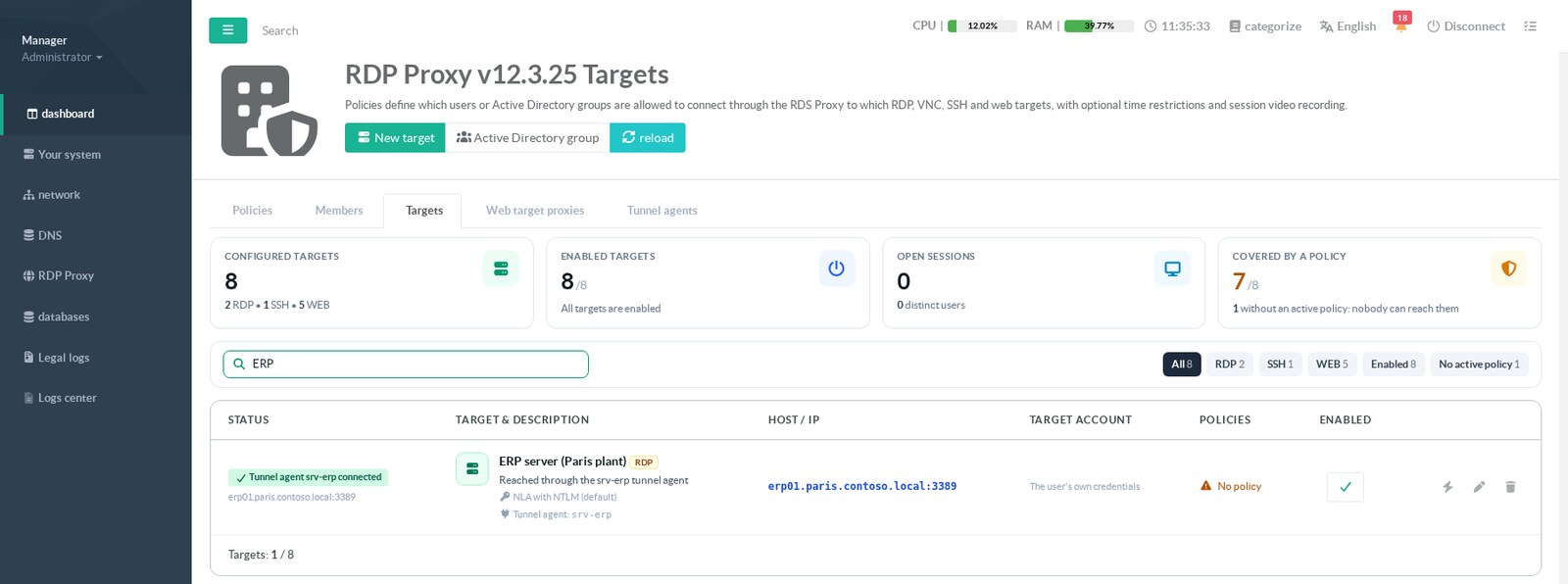
Tunnel agents are managed on the RDS Proxy page that holds the Policies, Members and Targets tabs, in the Tunnel agents tab.
The tab appears when the RDS Proxy authenticator is version 1.9.0 or later.
It has three sub-tabs: Agents, Status and Agent downloads.
The buttons New agent, Refresh and Settings stay at the top of every sub-tab.
Changing anything requires the right to manage RDS Proxy users.
¶ The agent list
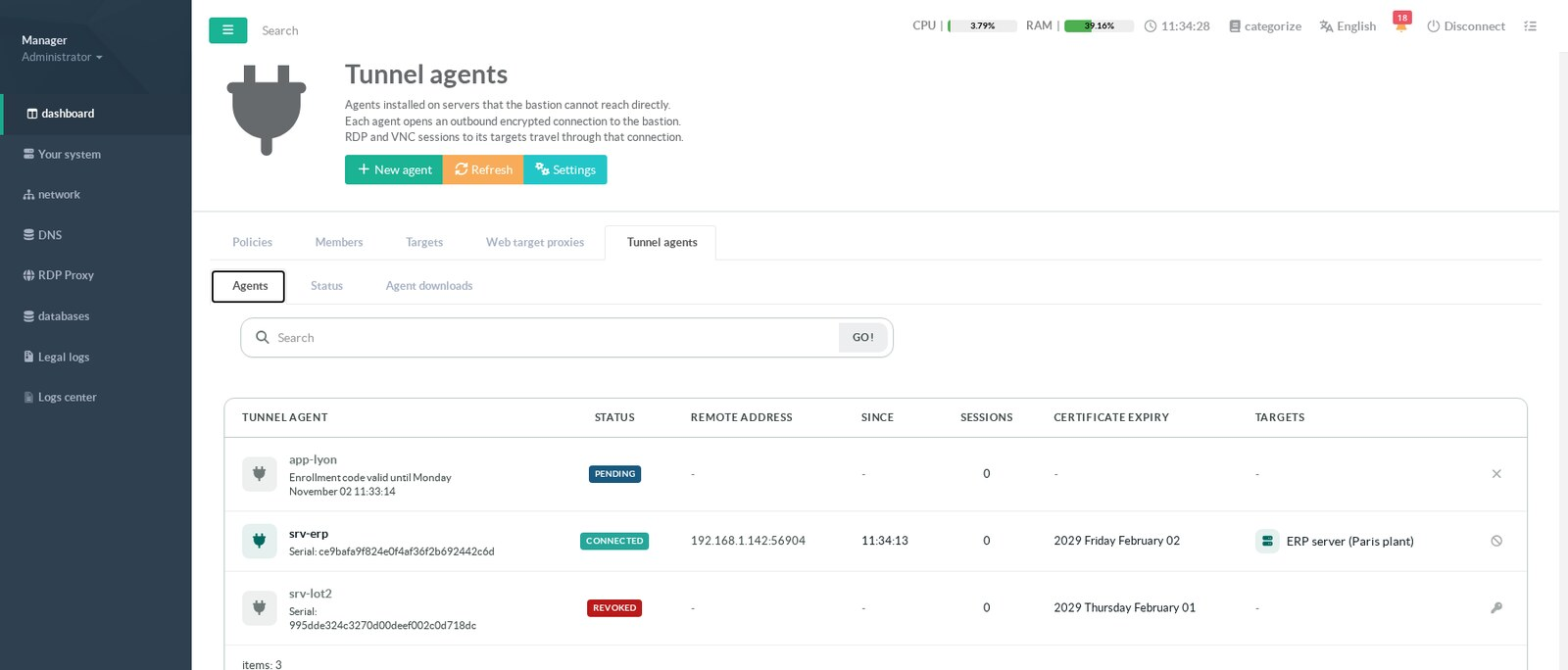
| Column | Content |
|---|---|
| Tunnel agent | Identifier of the agent. Below it, the serial number of its certificate, or the expiry of its pending enrollment code. |
| Status | State of the agent, see below. |
| Remote address | Address and port the agent connects from. Behind a NAT, it is the public address of the site. |
| Since | Start of the current connection. |
| Sessions | Sessions open through the agent right now. |
| Certificate expiry | Day the certificate expires. The badge Expires soon appears 30 days before. |
| Targets | Targets that use this agent. Click a target to open it. |
| State | Meaning | Action offered |
|---|---|---|
| Connected | The agent holds its connection to the appliance. | Revoke |
| Offline | The agent has a valid certificate but is not connected. Sessions to its targets are refused. |
Revoke |
| Pending | An enrollment code was created and not used yet. | Cancel the enrollment code |
| Revoked | The agent has no valid certificate left. | Enroll again |
| No certificate | A target uses this identifier, but no agent was ever enrolled under it. Create the agent with the same identifier. |
Enroll again |
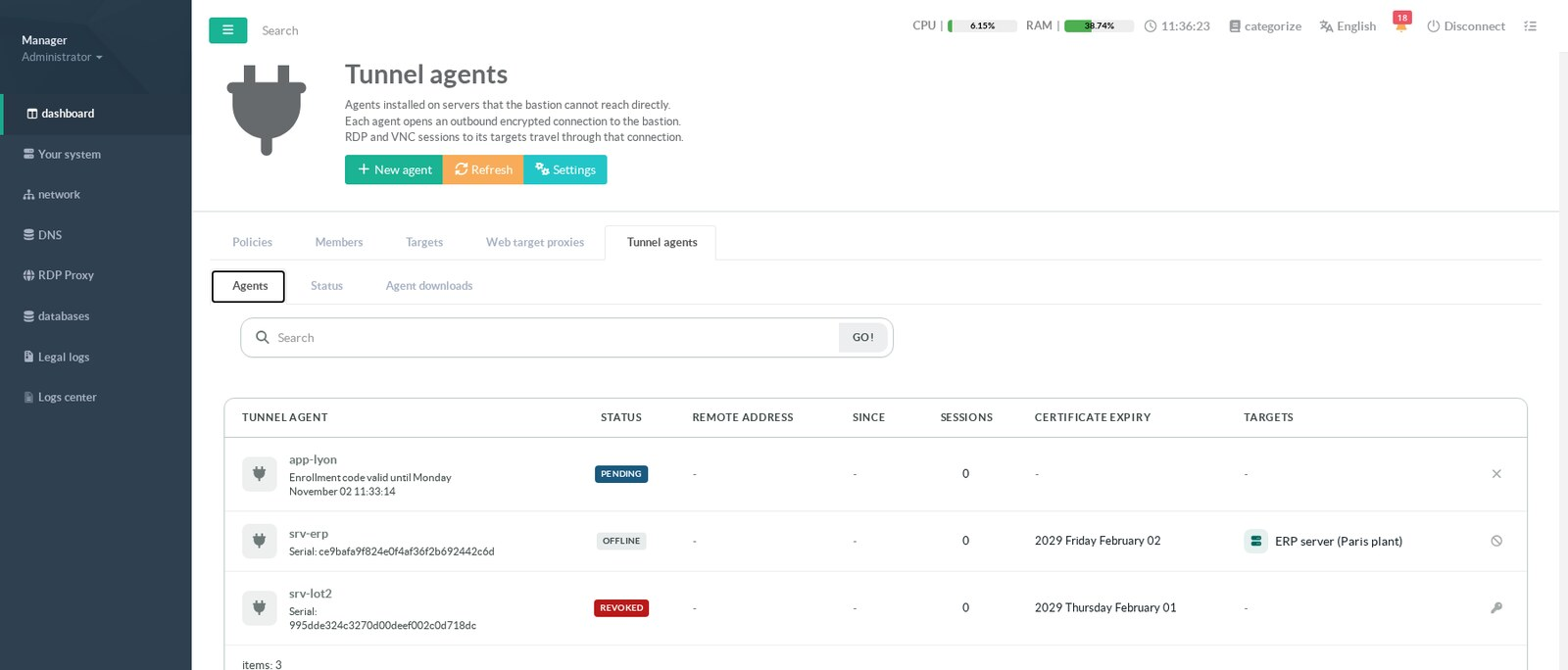
srv-erp is Offline and its target keeps the link.
¶ Create an agent
Click New agent.
The full procedure, from the code to the running service, is on Install and enroll an agent.
Creating a new code for an identifier that already has a pending code replaces the old code.
The receiver must be running: otherwise the window says so and refuses.
¶ Enroll an agent again
Use the key icon of a revoked agent, or New agent with the same identifier.
Run the enrollment again on the server with -force, since a key already exists there.
When the new certificate is issued, every previous certificate of the same identifier is revoked at once.
An identifier never has two valid certificates.
This is also how you renew a certificate that expires soon.
¶ Revoke an agent
Click the revoke icon of a connected or offline agent and confirm.
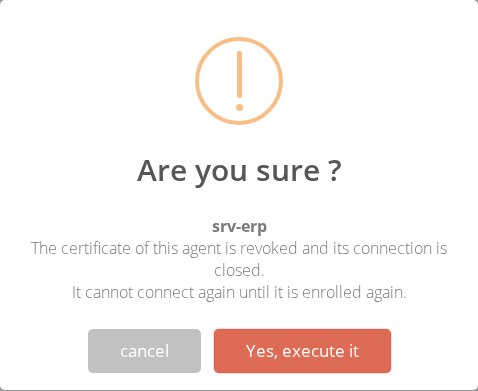
- The certificate is added to the revocation list of the receiver.
The connection of the agent is closed immediately. - The agent can no longer connect.
Its targets refuse sessions until it is enrolled again. - The revocation is final for that certificate.
To bring the server back, enroll it again.
Revoke an agent when a server is decommissioned, reinstalled or suspected compromised.
Uninstalling the MSI does not revoke anything, since the appliance cannot know it happened.
¶ Cancel an enrollment code
A pending agent has a cross icon.
It deletes the code: nobody can enroll with it any more.
Use it when a code was sent to the wrong person, or was not used.
¶ The Status tab
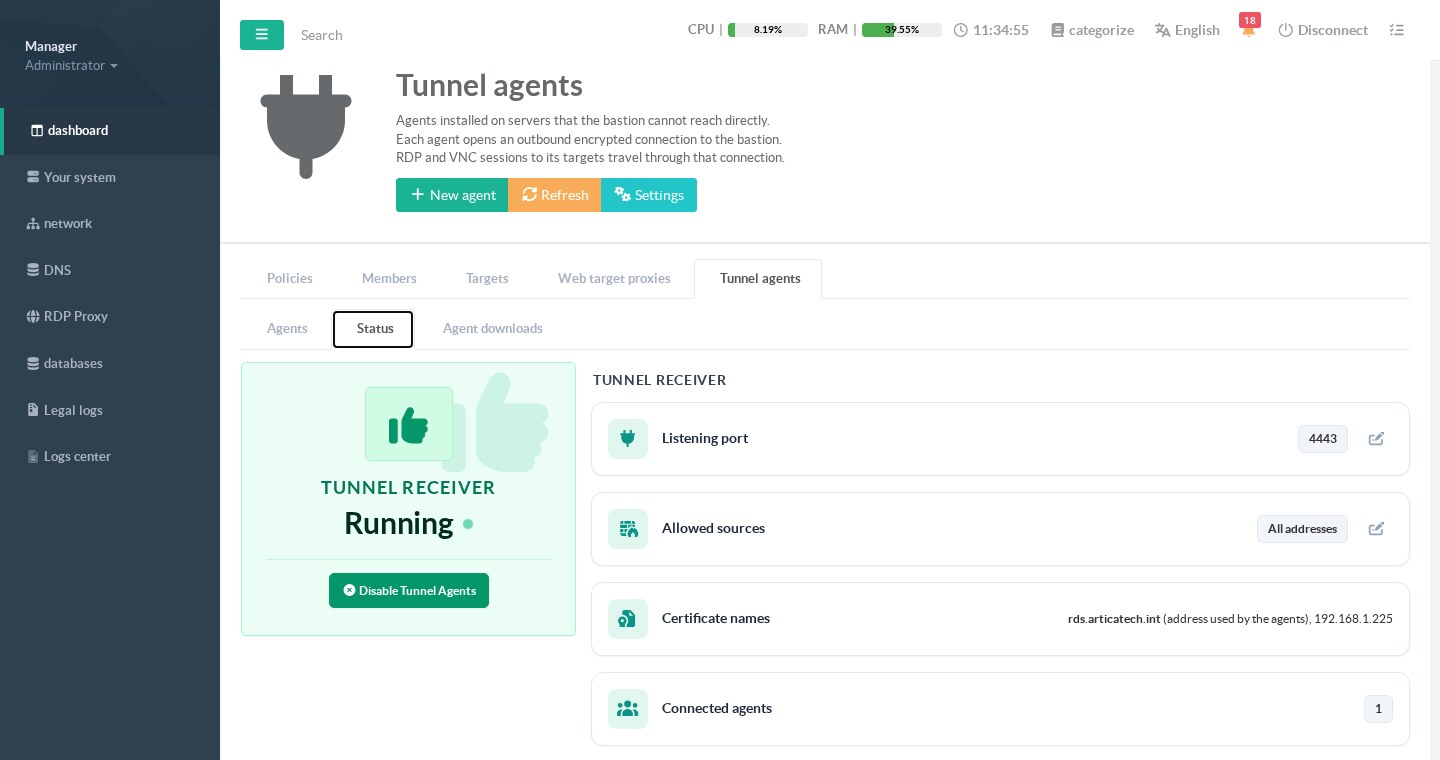
The tile on the left shows the receiver: Running, Stopped, Disabled or Not installed.
Its button enables or disables tunnel agents.
Disabling stops the receiver and disconnects every agent.
Targets that use an agent become unreachable.
| Field | Meaning |
|---|---|
| Listening port | TCP port the receiver listens on. Default 4443. |
| Allowed sources | Networks allowed to reach the port. All addresses when the list is empty. |
| Certificate names | Names and addresses of the receiver certificate. The first one is the address written in the enrollment codes. |
| Connected agents | Number of agents connected right now. |
¶ Receiver settings
Click Settings or the pencil of a field.
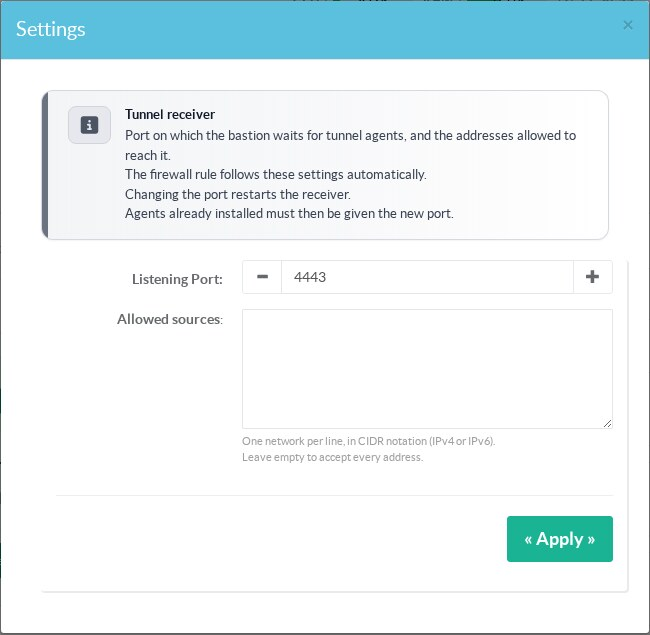
- Listening port: from 1024 to 65535.
Changing it restarts the receiver.
Agents already installed must then be given the new port in theservervalue of theiragent.json. - Allowed sources: one network per line, in CIDR notation, IPv4 or IPv6.
Leave it empty to accept every address.
¶ Firewall rule
When tunnel agents are enabled, Artica adds an inbound rule for the port in its own firewall.
The rule is commented RDPTUNNEL.ALLOW.
There is one rule per allowed source, in IPv4 or IPv6 depending on the network.
When tunnel agents are disabled, the rule is removed.
A firewall in front of the appliance is not managed by Artica.
Open the port there yourself, from the public addresses of the remote sites.
¶ Agent downloads
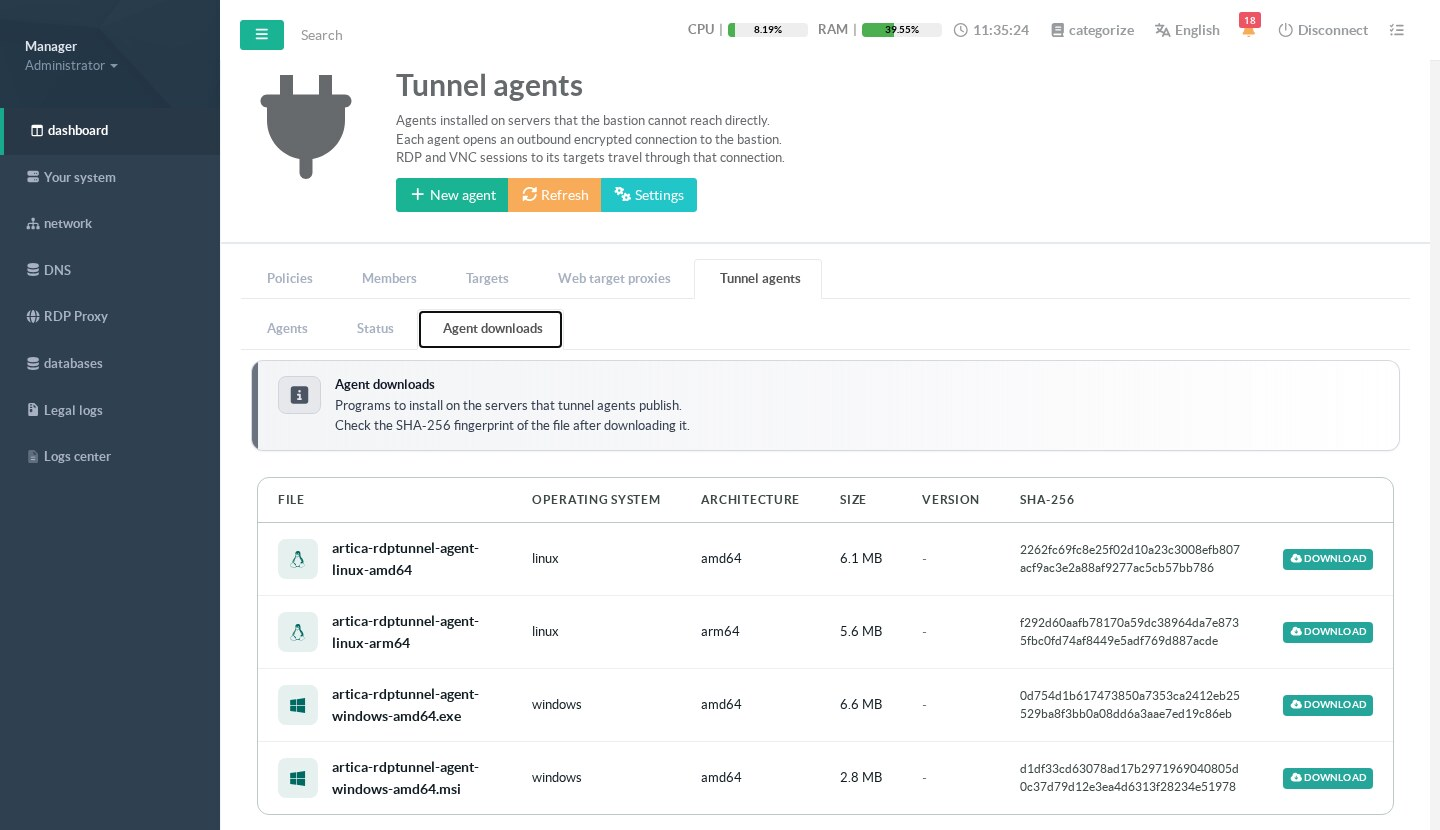
| File | Use |
|---|---|
artica-rdptunnel-agent-windows-amd64.msi |
Windows 64-bit, installs the agent as a service. Recommended. |
artica-rdptunnel-agent-windows-amd64.exe |
Windows 64-bit, the program alone. |
artica-rdptunnel-agent-linux-amd64 |
Linux on x86-64. |
artica-rdptunnel-agent-linux-arm64 |
Linux on 64-bit ARM. |
Check the SHA-256 fingerprint of the file after downloading it, for example with certutil -hashfile <file> SHA256 on Windows or sha256sum on Linux.
When the MSI is not signed, the result window of New agent says so.
¶ Attach a target to an agent
Open the target in the Targets tab.
For an RDP or VNC target, enter the identifier of the agent in the Tunnel agent field.
Leave the field empty for a direct connection.
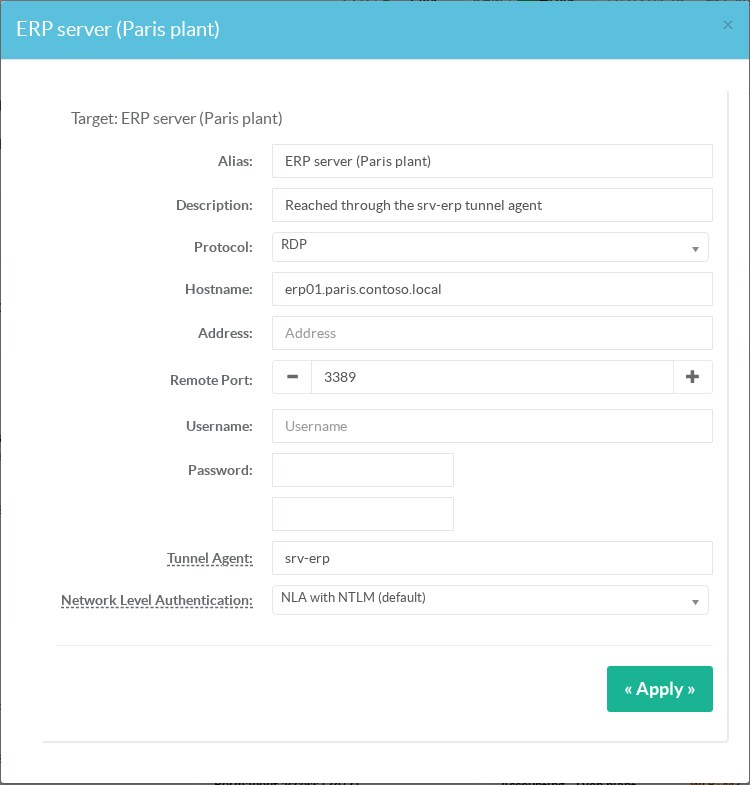
- Keep the real name of the server in Hostname, even if the appliance cannot resolve it.
Users see it, the events record it and Network Level Authentication uses it. - Remote Port is not used to reach the server.
The agent always connects to its ownforwardaddress. - The identifier must follow the agent rule.
The field is refused for SSH, web and Active Directory group targets.
The target list then shows the state of the agent in the Status column.