Back to the RDS Proxy main page |· SSH targets: concepts |· Create an SSH target and its policy
This page shows the user side of an SSH target.
The user opens the Windows Remote Desktop client, reaches the SSH server through the gateway, then exchanges files with it.
The administrator then finds every command and every file in the recording.
¶ Connect
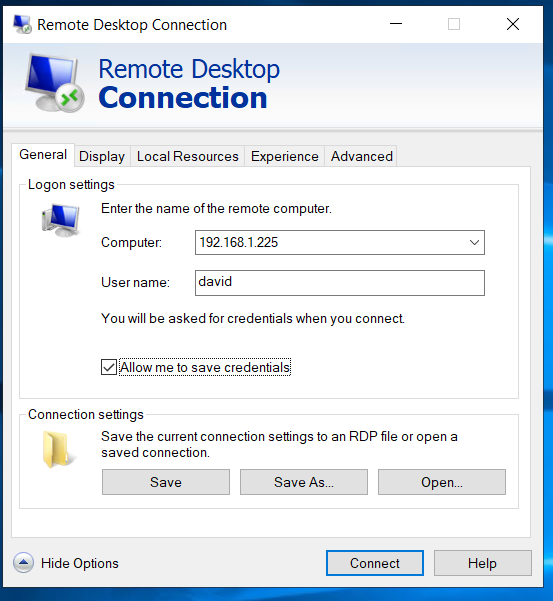
- Start Remote Desktop Connection (
mstsc).
In Computer, type the address of the Artica appliance.
Add the port when the gateway does not listen on 3389, for examplerds.example.com:3390.
- The gateway shows its login screen.
Type the gateway account: a local member of the RDS Proxy or an Active Directory account. - When the policy requires the second factor, type the code of the authenticator application.
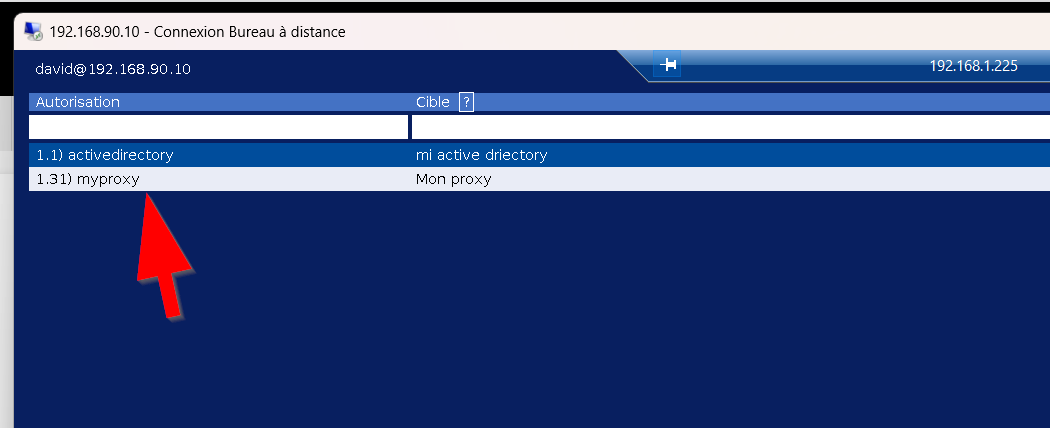
See Second factor. - The list of servers shows the targets your policies allow.
The Protocol column says SSH for SSH targets.
Select the target and click Connect.
- The terminal opens in the Remote Desktop window.
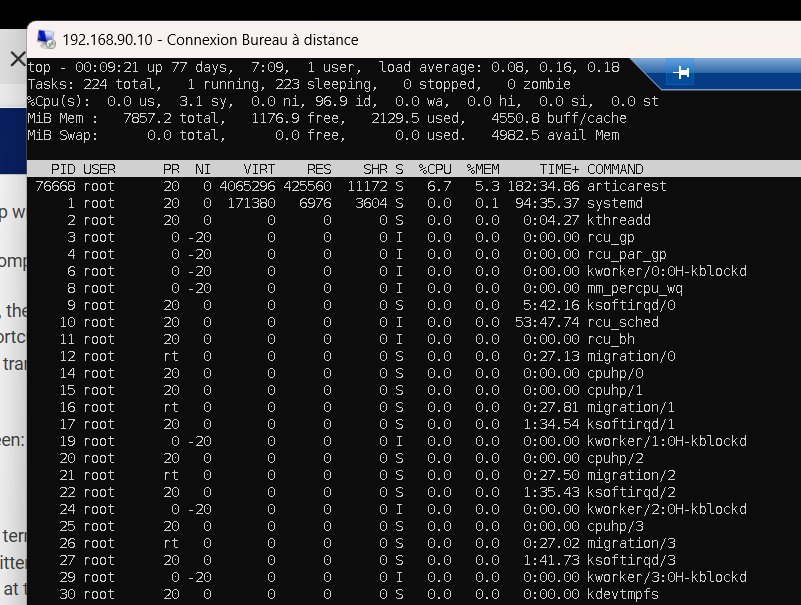
The status bar at the bottom shows the target, the account, the authentication mode and that the session is recorded.
On the right, it reminds the Ctrl+Alt+F shortcut of the file explorer when the policy allows downloads.
During an upload, it shows the progress of the transfer.
The terminal follows the size of the window.
Resize the mstsc window or switch to full screen: the server receives the new number of lines and columns.
¶ Account typed at connection
When the target uses Typed at connection, the terminal asks for the Linux account and its password before opening the shell.
The password is not displayed and is never written in the traces.
A password copied in Windows can be pasted at this prompt.
¶ Host key changed
When the host key of the server is not the one the gateway recorded, the connection is refused before any login.
The administrator receives a notification.
Ask the administrator to check the server, then to click Forget the key on the target if the change is expected.
¶ Keyboard and clipboard
| Key or gesture | Effect |
|---|---|
Shift+Insert, Ctrl+Shift+V or right click |
Paste. Files win over text when the Windows clipboard holds files. |
| Left button drag | Selects text and copies it to the Windows clipboard on release. |
Ctrl+V |
Sent to the server as is. It is a control key for the shell, not a paste. |
Ctrl+Alt+F |
Opens or closes the file explorer (server to Windows). |
Ctrl+Alt+X |
Cancels the upload in progress. |
The gateway keeps Ctrl+Alt+F and Ctrl+Alt+X for itself.
The server never receives them.
Pasted text is cleaned before it reaches the shell.
Control characters and escape sequences are removed.
A multi-line paste is sent line by line, and each line goes through the command patterns of the policy.
¶ Upload files (Windows to server)
The policy must allow Clipboard: Copy From The Computer To The Target and Clipboard: Files.
- In Windows Explorer, select files or folders and copy them (
Ctrl+C).
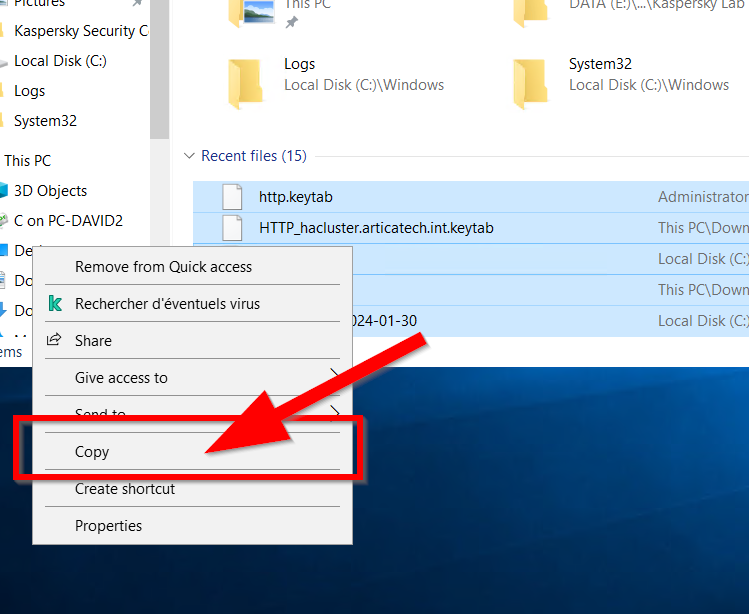
- Click in the terminal and paste (
Shift+Insert,Ctrl+Shift+Vor right click). - The files are written in the home directory of the SSH account.
A green line confirms each file, with its size and the start of its SHA-256 fingerprint.
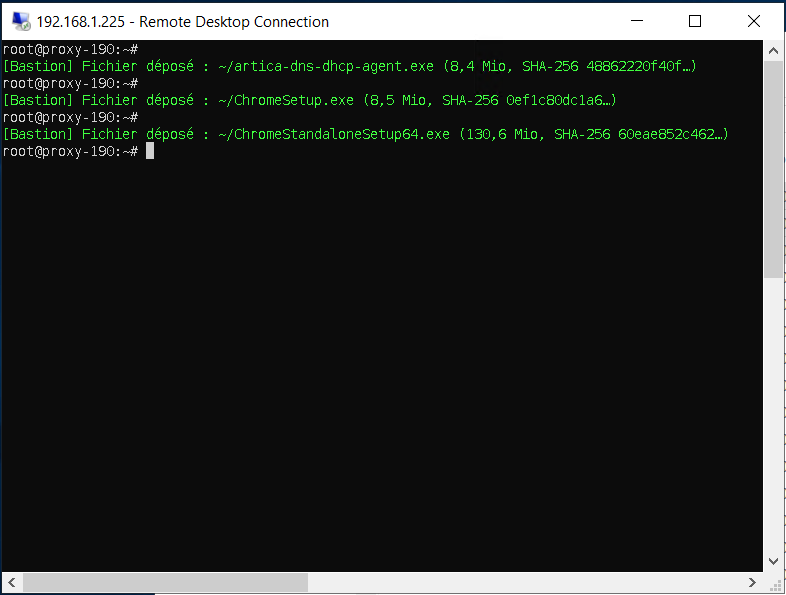
How the upload behaves:
- Files always land in the home directory, never in the current directory of the shell.
Folders keep their tree. - An existing file is never overwritten.
When the name is taken, the gateway adds a number:report (1).pdf,folder (1). - The file is written under a hidden temporary name, then renamed when complete.
A cancelled or failed transfer leaves nothing behind. - The new files are readable by the SSH account only (mode 0600, folders 0700).
- You can keep typing in the terminal during the transfer.
- One paste holds at most 1000 files and folders.
- When the policy has command patterns that refuse or disconnect, a name starting with a dot is refused at the top of the home directory (
.bashrc,.profile,.ssh).
To stop a transfer, press Ctrl+Alt+X.
The file being written is removed.
Files not started yet are not transferred.
[david: status bar during a large upload, with the percentage and the Ctrl+Alt+X reminder]
¶ Download files (server to Windows)
The policy must allow Clipboard: Copy From The Target To The Computer and Clipboard: Files.
- Press
Ctrl+Alt+F.
The gateway draws a file explorer over the terminal.
It opens in the home directory of the SSH account.
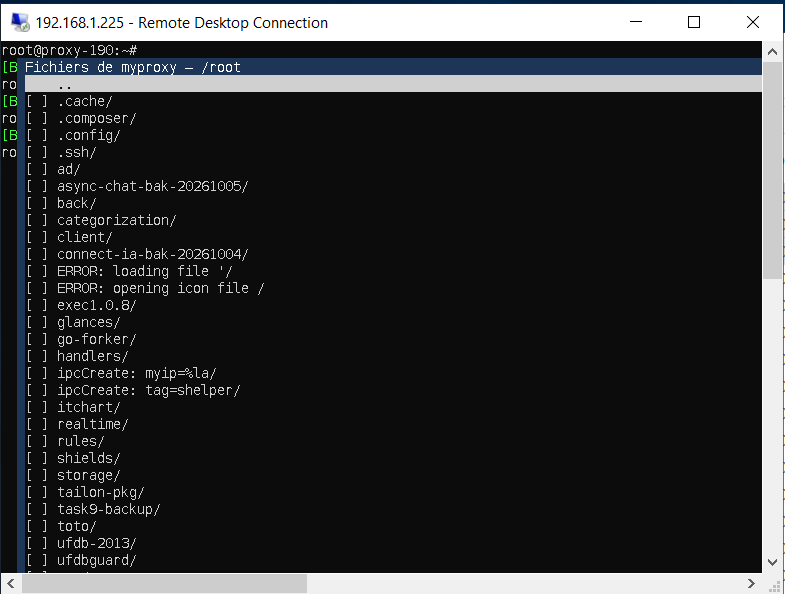
- Move with the arrows and check files or folders with
Space. - Press
C.
The explorer closes and a green line says how many files are ready. - In Windows Explorer, open a folder and paste (
Ctrl+V).
The files are read from the server during the paste.
[david: Windows Explorer pasting the files, with the copy progress window]
| Key in the explorer | Effect |
|---|---|
Arrows, Page Up, Page Down, Home, End |
Move the cursor. |
Enter |
Opens the folder under the cursor (or ..). |
Backspace |
Goes to the parent folder. |
Space |
Checks or unchecks the file or folder, then moves down. |
/ |
Goes to a path: absolute (/var/log), in the home directory (~/backup) or relative to the folder shown. |
C |
Copies the checked items to the Windows clipboard. |
Esc or Ctrl+Alt+F |
Closes the explorer. |
The explorer can browse every folder the SSH account can read.
The footer shows the number of checked items and their total size.
What the copy takes and what it skips:
- Checked folders are copied with their content, down to 32 levels and up to 2000 files and folders.
Beyond that, the whole copy is refused. - Symbolic links, devices and sockets are skipped.
So are names Windows cannot hold.
A yellow line counts the skipped entries. - A file changed on the server after
Cfails with the reason fichier modifié depuis la copie.
Copy it again. - A new
Creplaces the previous copy.
¶ Messages of the gateway
The gateway writes its messages in the terminal, starting with [Bastion].
They are in French in this version.
| Message | Meaning |
|---|---|
Fichier déposé : ~/name (size, SHA-256 ...) |
The file is uploaded. |
Dépôt annulé : ~/name (fichier partiel supprimé). |
The upload was cancelled with Ctrl+Alt+X.The partial file is removed. |
Échec du dépôt de ~/name : reason. |
The upload failed (disk full, permission). The partial file is removed. |
n fichiers prêts : collez-les dans l'Explorateur Windows. |
The download is ready. Paste in Windows Explorer. |
Transfert de fichiers interdit par la politique. |
The policy does not allow files in this direction. |
Un transfert est déjà en cours. |
Wait for the transfer in progress, or cancel it. |
Dépôt refusé : plus de 1000 fichiers et dossiers. |
Paste fewer items at a time. |
Dépôt refusé : un nom commençant par un point est interdit quand la porte de commande est active |
A name starting with a dot was refused because the policy checks commands. |
Commande refusée par la politique « name » (motif : pattern). |
A pattern of the policy refused the command. It never reached the server. |
¶ What the administrator sees
Each SSH session is listed in RDS Proxy » Videos with the SSH trace label.
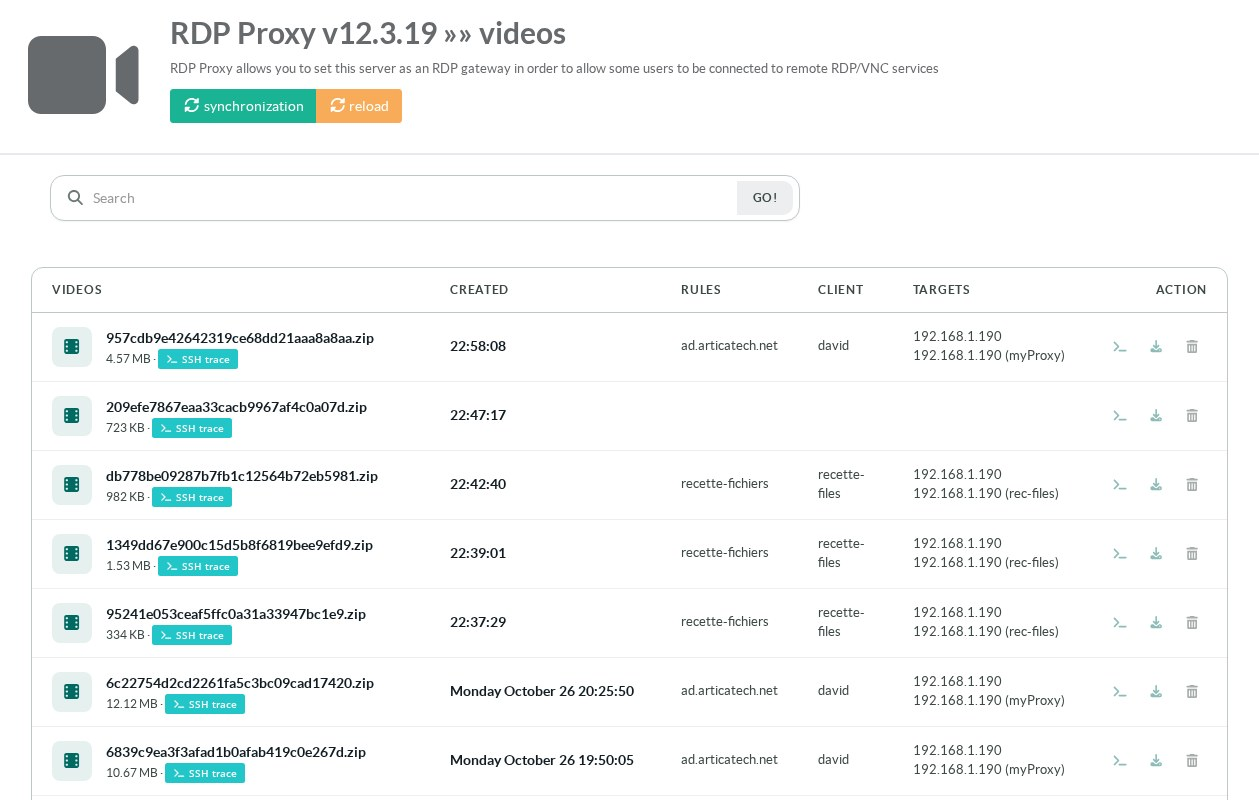
The terminal button opens the SSH session trace window.
Terminal transcript shows everything the terminal displayed, in plain text.
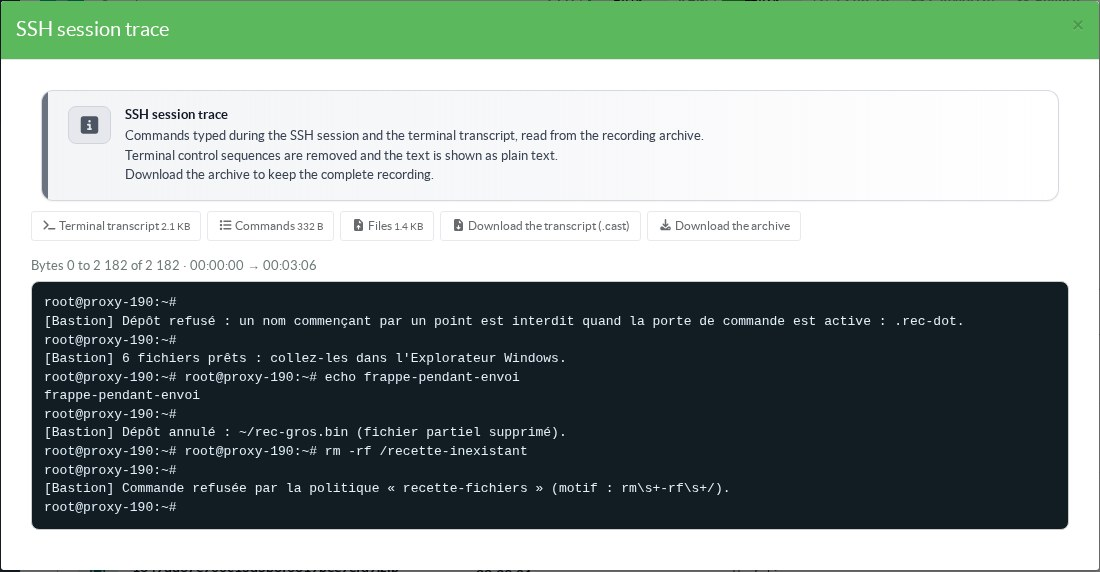
Files lists every transfer: time, direction, path, size, SHA-256, status and reason.
The status is Completed, Cancelled, Denied, Failed or Partial.
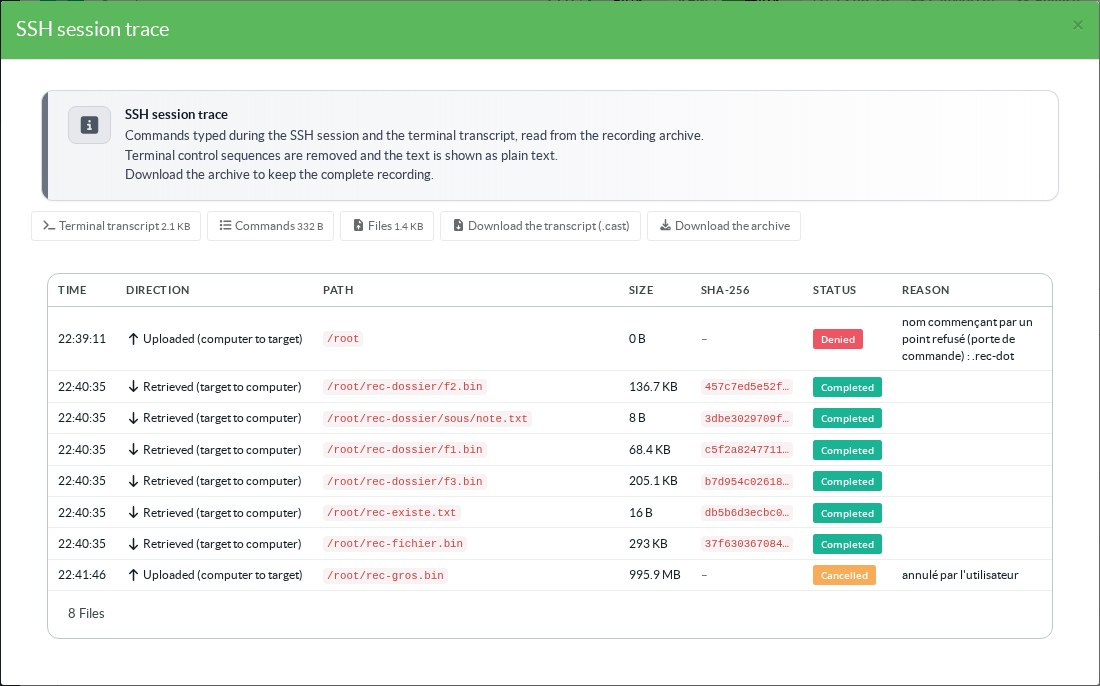
Download the transcript (.cast) gives the asciicast file.
It plays back with asciinema play.
Download the archive gives the whole recording.
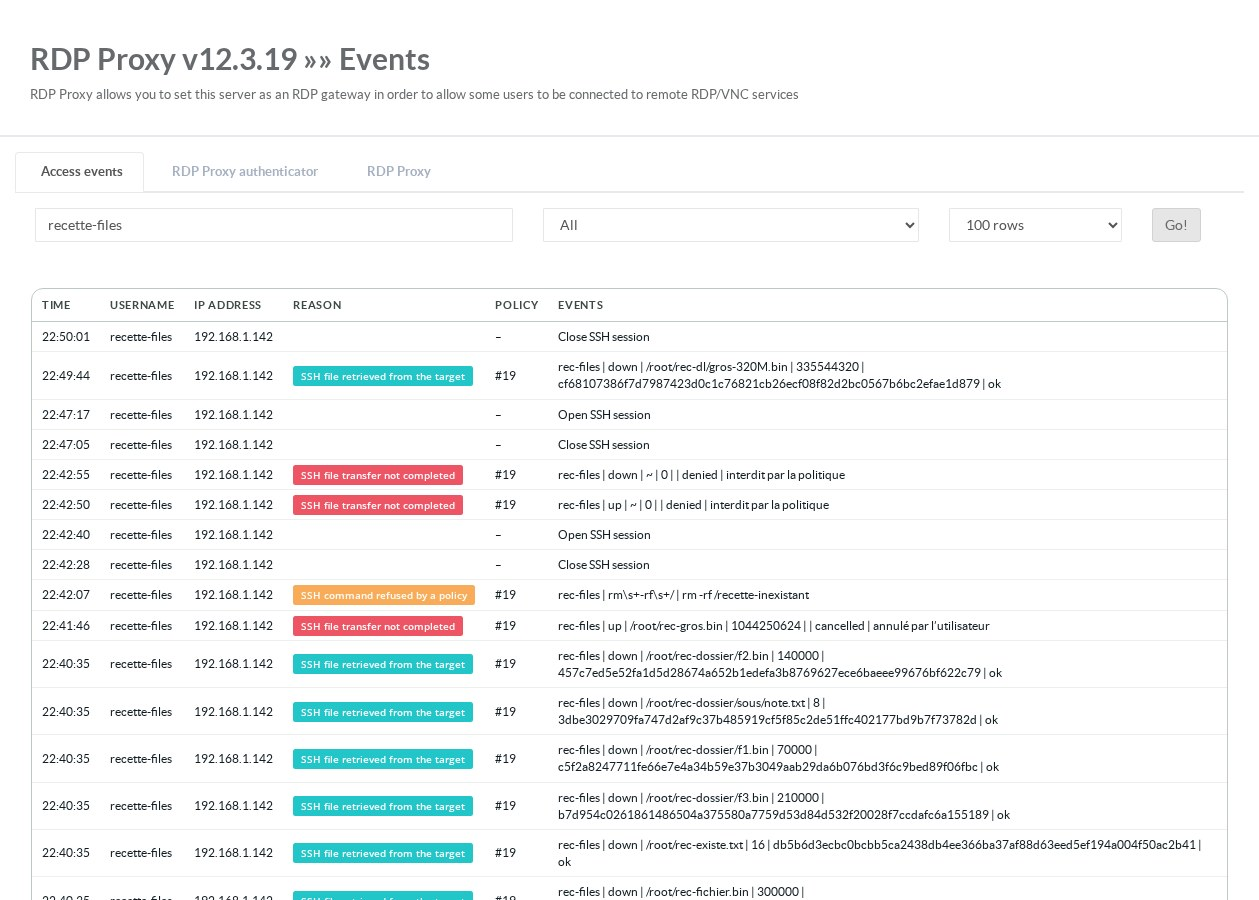
Transfers and refused commands also appear in RDS Proxy » Events.
Uploads, downloads and failed transfers have their own reason.
See also Access events and Video recording.