A stolen administrator password is the shortest path into an Artica appliance, and from there into everything the appliance holds — proxy policy, firewall rules, mail flow, Active Directory credentials.
The console second factor closes that path: an administrator covered by the policy must present a one-time code from their own authenticator application, in addition to the password, before the session is granted a single page.This page explains what the feature is, what it protects you from, and how to run it day to day: turning the policy on, choosing who it covers, enrolling, resetting a lost authenticator, and recovering from the Unix console.
¶ Concept
Artica's administration console accepts administrators from eight different authentication engines — the built-in Manager account, the setup-wizard administrator, local accounts, Active Directory (including multi-domain and the AD agent), OpenLDAP, and RADIUS. They have nothing in common: different password stores, different identifiers, different naming rules.
The second factor is built on one idea that makes all eight behave alike: every successful password check produces a canonical identity key, and the second factor is bound to that key — never to a display name, never to a session.
Why the choice of identifier matters.
If a second factor were bound to a login name, renaming a user in Active Directory would silently hand their authenticator to whoever received the old name next. Binding to theobjectGUIDmeans the factor follows the person, and a genuinely new account arrives with no factor at all — so it must enrol.
¶ The gate is a right removed, not a check added
The console creates the session inside the password check, in thirteen different places across the eight engines. Adding "and now also verify a code" to each of them would mean eight chances to forget one, and a forgotten one is an open door that nothing reports.
So the feature works the other way round: every successful password check leaves the session marked pending, and that mark is lifted by a single function, for one of four whitelisted reasons:
| Reason | Meaning |
|---|---|
verified |
A valid one-time code was submitted. |
out-of-scope |
The policy is off, or this administrator holds none of the covered privileges. |
x509 |
The administrator authenticated with a client certificate (mTLS) — a second factor is already present. |
saml |
The administrator arrived through SAML single sign-on; the identity provider owns the multi-factor decision. |
Any other reason lifts nothing.
A path that forgets to ask for a code therefore does not become an open door — it becomes a session that cannot open a single page, which is noticed immediately.
¶ Benefits
| What you gain | Why it matters |
|---|---|
| One factor per person, not one shared secret | Each administrator enrols their own authenticator. There is no common code to circulate, to forget on a departure, or to find written on a whiteboard. |
| A stolen password stops being enough | Phishing, password reuse, a keylogger, a leaked backup of a directory — none of them produce the 30-second code. |
| Covers every console identity | The same rule applies to Manager, local, Active Directory, LDAP and RADIUS administrators. No engine is a side door. |
| Scoped by privilege, not by directory | You protect what someone can do, not where their account happens to live. An AD account granted system-administrator rights is covered the moment it is granted them. |
| Fails closed | If the policy cannot be read — daemon down, settings unreadable The console refuses the logon instead of quietly reverting to password-only. |
| Brute-force resistant | Five wrong codes lock the identity for 15 minutes, and a code that has already been used cannot be replayed, even by a request racing the first one. |
| Auditable on both sides | The console and the daemon each write their own trail, in the same format, naming the same person The two can be cross-checked, and neither can be quietly disabled by the other. |
| No cloud dependency, no SMS | Standard RFC 6238 TOTP. Any authenticator works, offline, with no third-party service and no phone number to hijack. |
¶ Use cases
| Situation | How the feature answers it |
|---|---|
| The appliance is reachable from a network you do not fully control — a branch office, a management VLAN shared with third parties, a jump host. | A captured or guessed password no longer produces a session. Turn the policy on and cover the administrative privileges. |
| An auditor asks how privileged access is protected (ISO 27001, BSI IT-Grundschutz, CIS, NIS2, an insurance questionnaire). | Point at the policy scope, the enrolled-identities table, and /var/log/artica-webauth.log. The answer is a screenshot and a log file, not a promise. |
| Several people share administrative duty — an internal team plus an integrator, or a follow-the-sun rota. | Each enrols their own authenticator. The table then shows exactly who holds a factor, and the Manager can revoke one person's factor without touching anyone else's. |
| An administrator leaves, or a laptop is lost. | Reset that identity's factor from the console. Their password alone can no longer open a session, and the next holder of the account must enrol a fresh authenticator. |
| Administrators come from Active Directory and you cannot deploy MFA on the directory itself. | The appliance enforces its own second factor, keyed on objectGUID, independently of what the domain offers. |
| You want read-only operators exempt but administrators covered. | Select only the privileges that actually change the appliance. A monitoring account holding just a "monitor" privilege stays on password-only. |
| mTLS is already deployed for some administrators. | Client-certificate logons are exempt automatically They already carry a second factor. The policy covers everybody else. |
¶ Where the feature lives
In the console, follow Your system > Security > 2FA.
The page is reserved for holders of the System Administrator privilege, and every write it performs re-checks that privilege on the server — hiding a button is not a permission.
¶ Turn the policy on
- Out of the box the policy is inactive: Every administrator logs on with a password only, exactly as before.
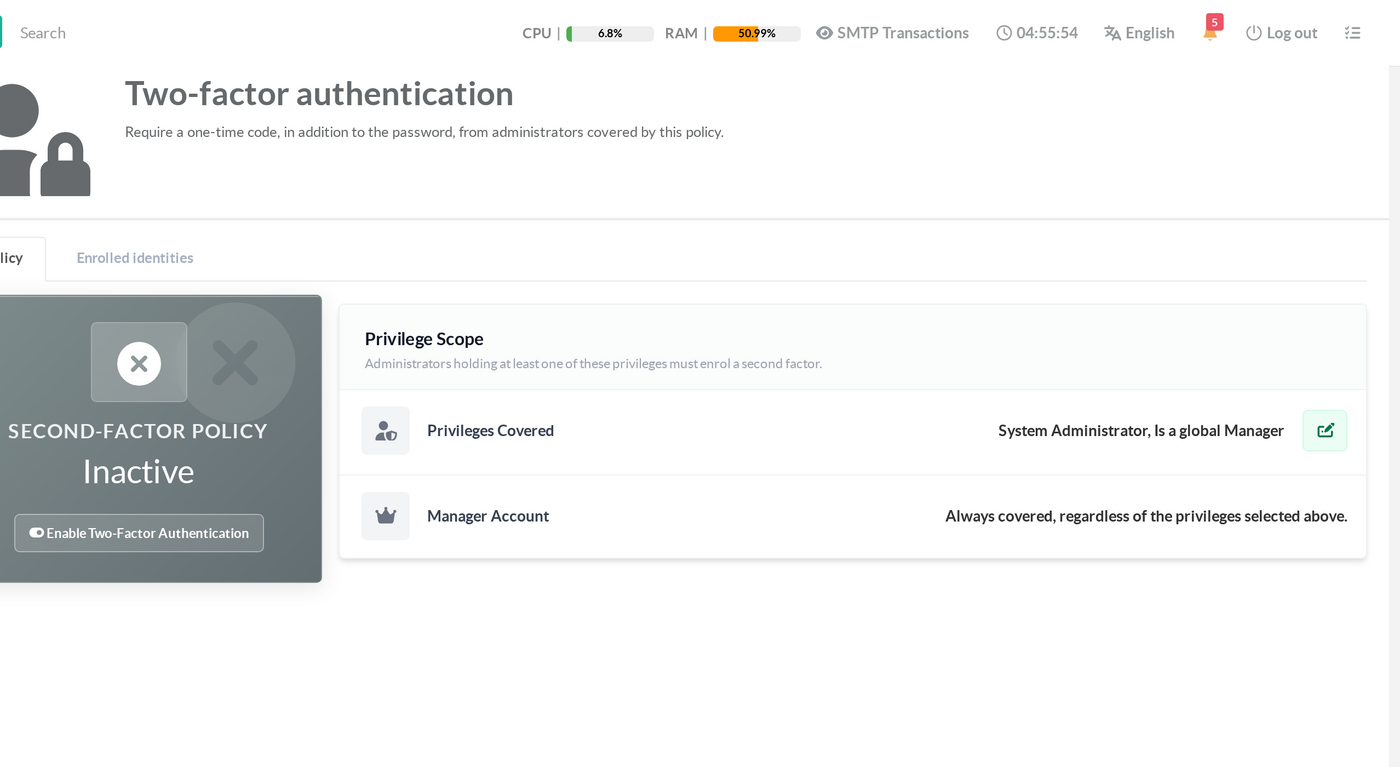
- Click Enable Two-Factor Authentication.
The switch takes effect on the next logon — sessions already open are not interrupted.
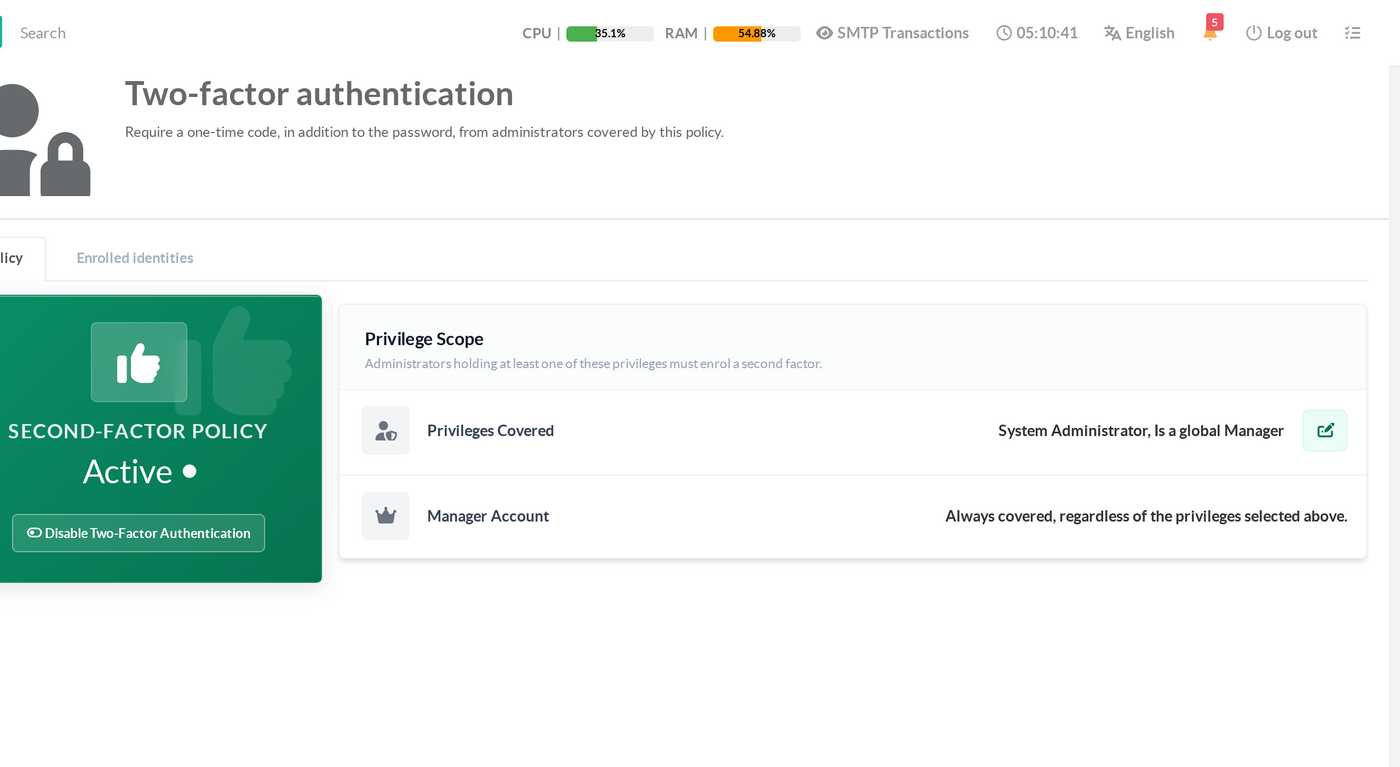
Before you switch it on, read the recovery section at the bottom of this page.
Keep a root shell open on the appliance (SSH or the Unix console) while you enrol the first administrator.
One command from that shell undoes everything, and it is the answer to every "I am locked out" scenario.
¶ Step 2 — Choose who is covered
The perimeter is defined by privilege held, not by the directory an account comes from.
Click the edit button on the Privilege Scope card:
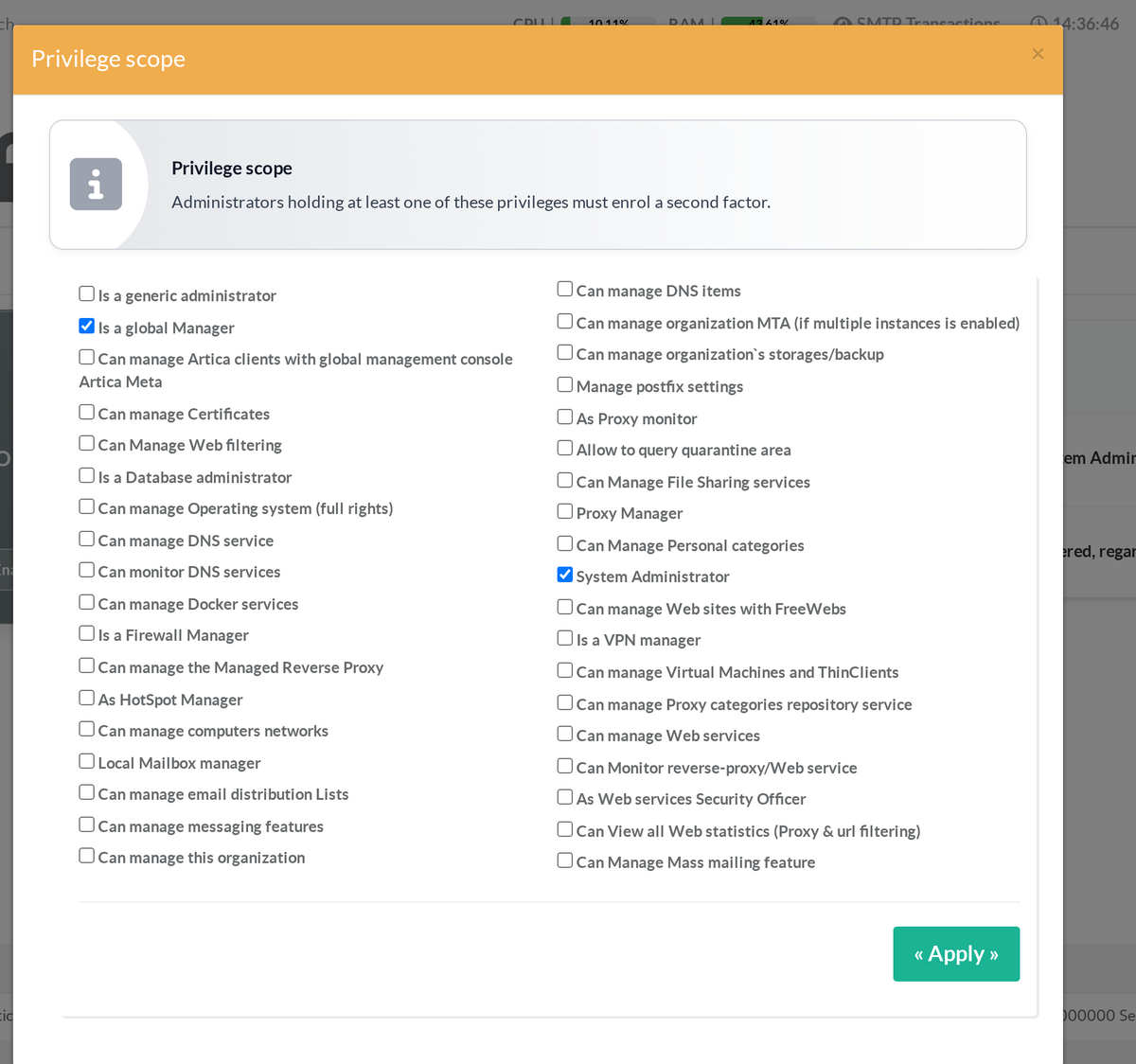
Tick every privilege whose holders must present a second factor, then Apply. An administrator is covered as soon as they hold at least one ticked privilege.
| Point | Behaviour |
|---|---|
| Default scope | System Administrator and Is a global Manager The two privileges that can change anything on the appliance. |
| The Manager account | Always covered, whatever you tick. It is the account that holds every privilege by construction, so exempting it would exempt everything. |
| Clearing every box | Does not disable coverage — it restores the default scope above. Use the policy switch to turn the feature off; the scope list is not a second off switch. |
| Privileges you do not tick | Their holders keep logging on with a password only. Read-only and single-service operators are a legitimate exemption. |
¶ Step 3 — The administrator enrols
At the next logon, a covered administrator types their password as usual. Instead of the console, they get an enrolment screen:
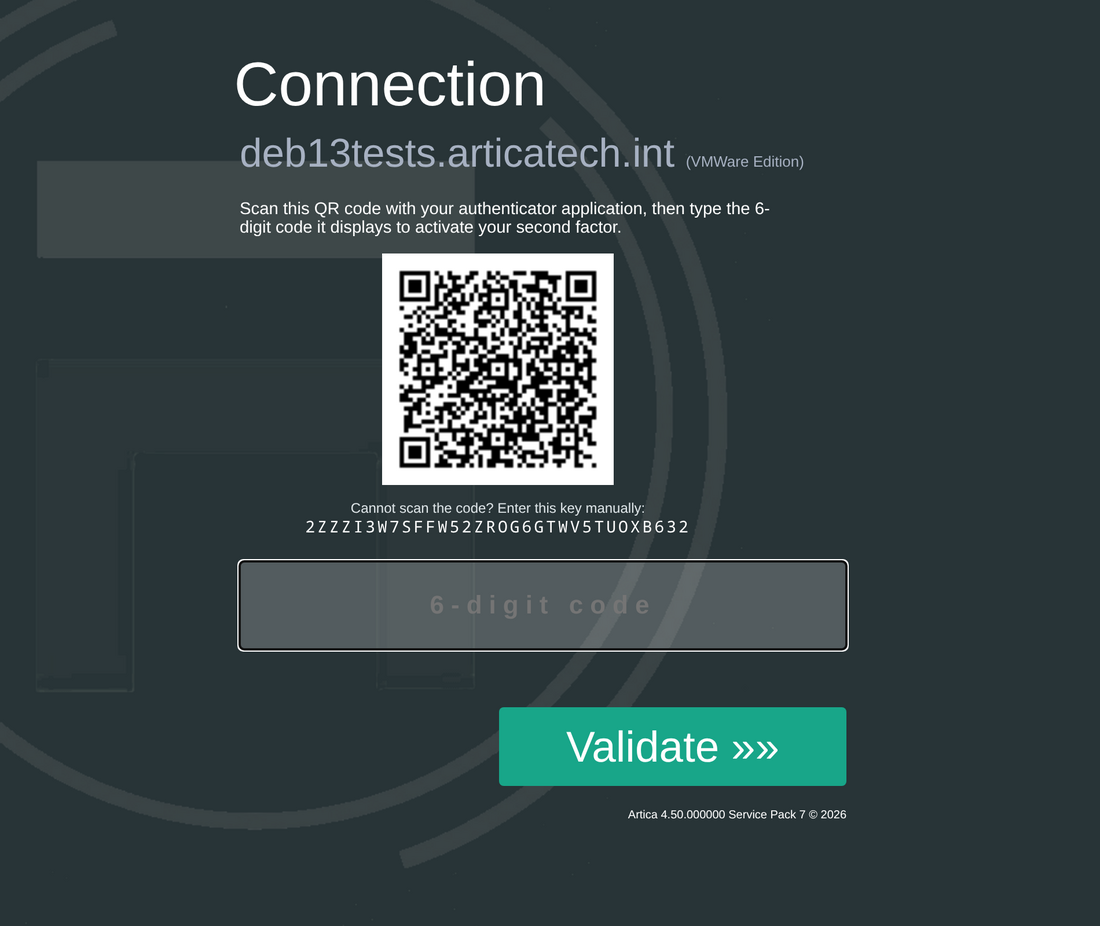
They scan the QR code with any authenticator application
- Google Authenticator
- Microsoft Authenticator
- FreeOTP
- Aegis
- 1Password
- Bitwarden
- KeePassXC
Type the six-digit code it displays.
That first correct code is what activates the factor:
until it is entered, nothing is committed, so an administrator who cannot scan the code is never locked out by a half-finished enrolment.
If the camera route is not available — a desktop authenticator, a password manager on the same machine, a remote console — use the key printed under the QR code and add the account manually. It encodes exactly what the QR code does.
From then on, the same administrator sees only the code prompt:
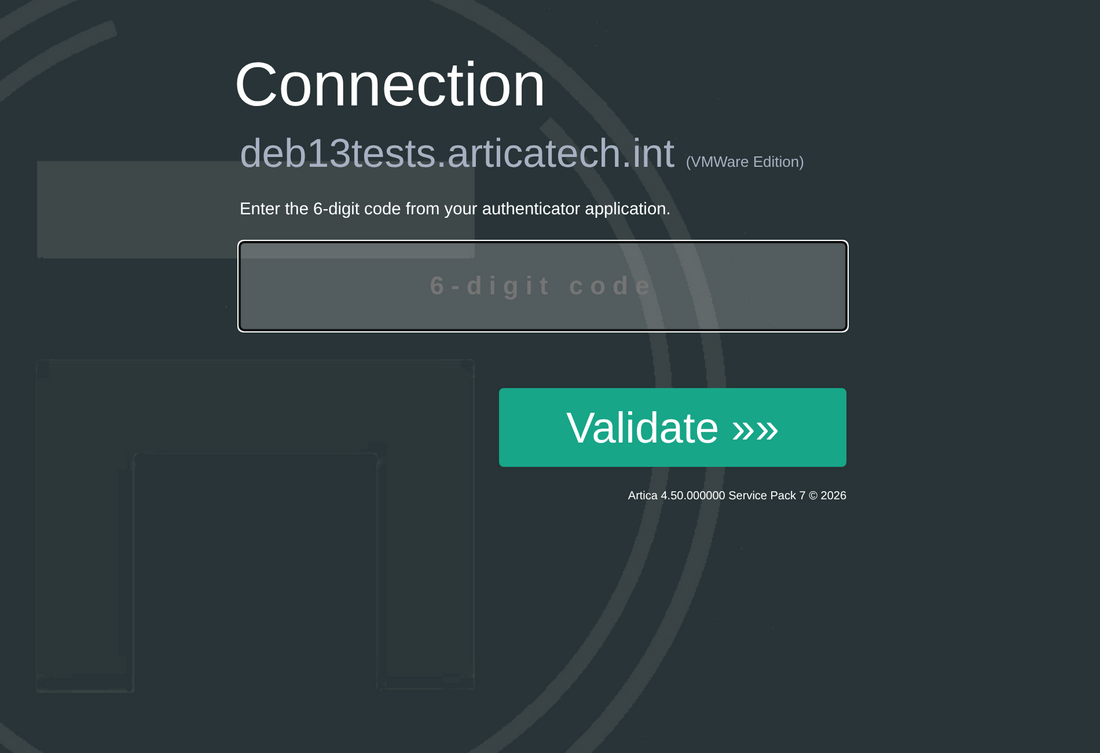
The code is valid for 30 seconds, with one period of tolerance on each side.
A wrong code is refused without any hint about which half of the credentials was wrong:
After five wrong codes the identity is locked for 15 minutes.
The message appears on the attempt that follows the lock, not on the one that triggers it — the console does not announce the exact threshold to whoever is guessing:
¶ The enrolled identities table
The second tab lists every identity that has started or completed an enrolment.
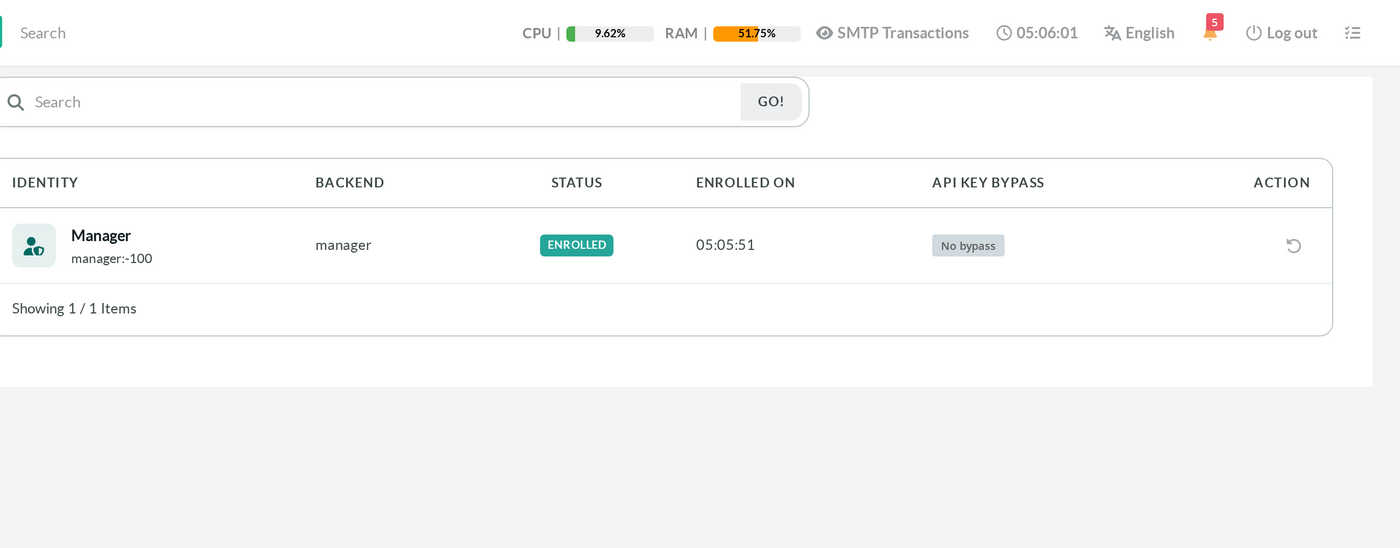
| Column | What it tells you |
|---|---|
| Identity | Display name, with the canonical identity key underneath — and the failed-attempt counter when it is not zero. |
| Backend | The engine that authenticated the password: manager, wizadmin, local, ad, ldap, radius. |
| Status | Enrolled, Not enrolled (an enrolment started but never confirmed), or Locked. |
| Enrolled on | When the first valid code activated the factor. |
| API key bypass | See the warning below. |
| Action | Reset this identity's second factor. |
A locked identity is visible at a glance, so you do not have to take a caller's word for why they cannot log on:
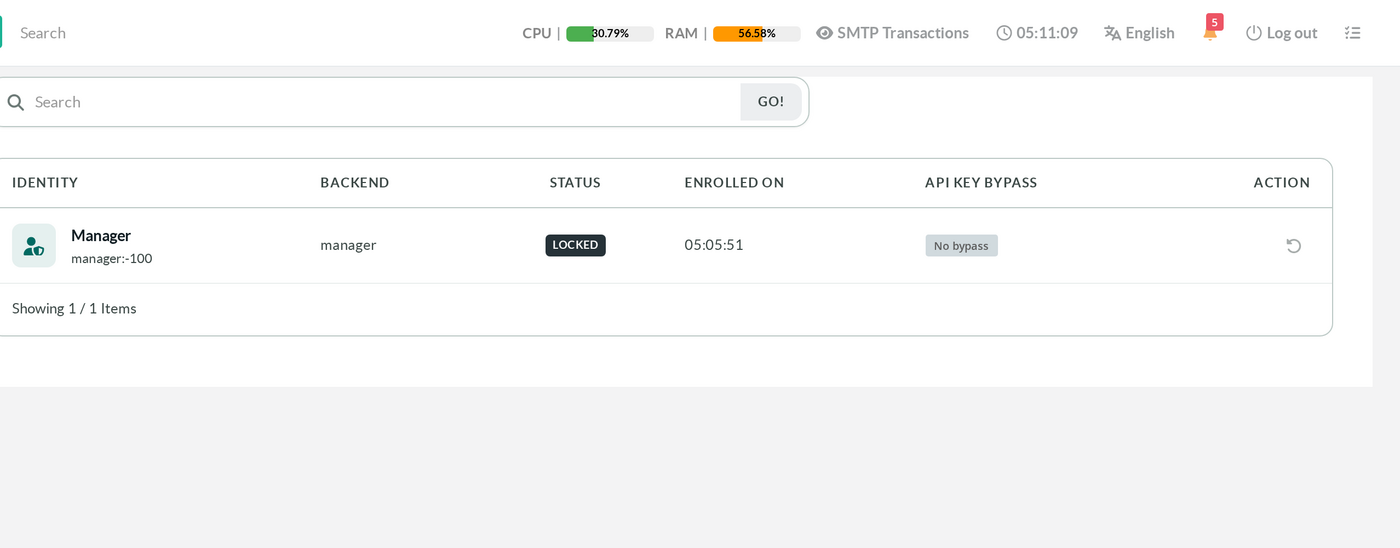
The "API key bypass" column is a warning, and it is there on purpose.
An API key opens a console session without going through the logon page, so it does not meet a second factor. An account that holds one keeps a password-free, code-free way in.
The column makes that visible instead of leaving it to be discovered:
- No bypass — no API key is attached to this identity.
- Bypass present (red) — an API key exists. Either remove it, or accept it knowingly and protect it as strongly as you protect the password.
- Unknown — the identity comes from a directory (AD, LDAP, RADIUS) whose stored identifier cannot be mapped to an API-key owner from this page. It is reported as unknown rather than clean: an unverified weakness must never read as a clean bill of health.
¶ Resetting a lost authenticator
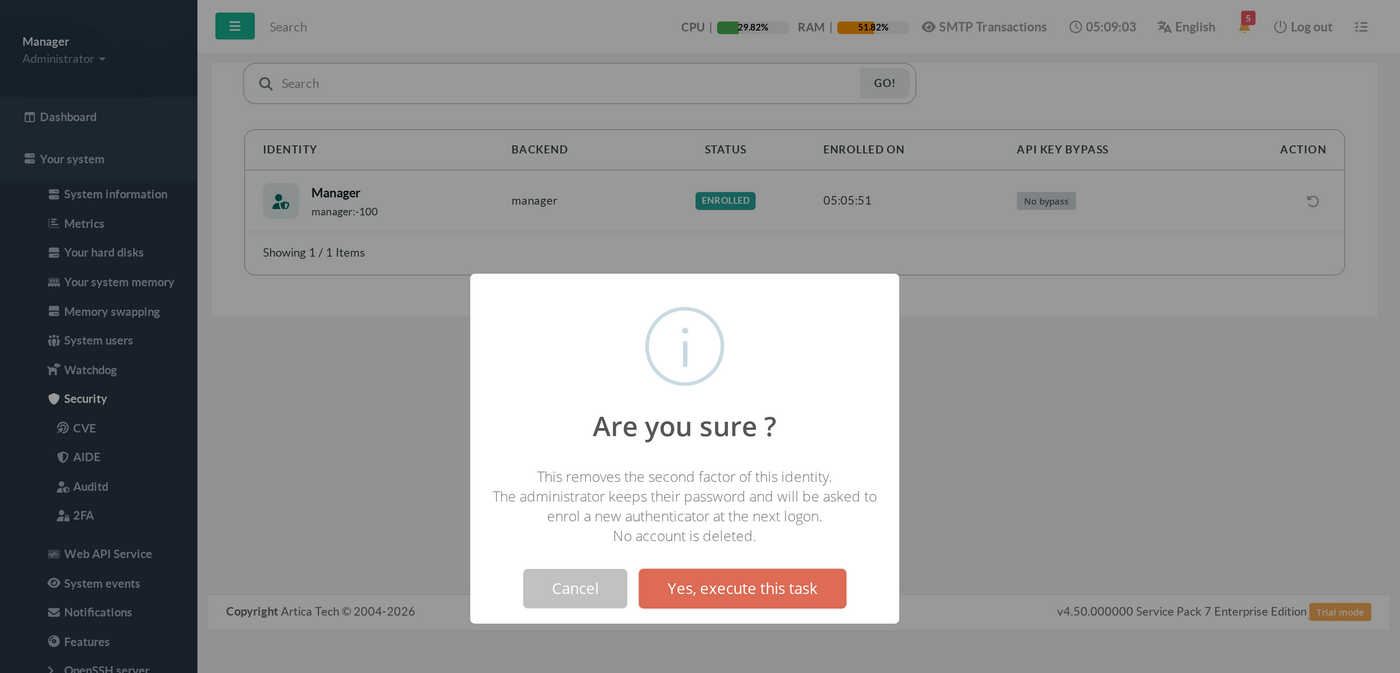
A phone is lost, replaced, or wiped. Use the reset action on that identity's row:
| Point | Behaviour |
|---|---|
| What it does | Removes the second factor only. The account, its password and its privileges are untouched; the next logon presents a fresh enrolment screen. |
| Who may do it | Only the Manager account. The check lives in the daemon, on a role announced by the console over its trusted local socket — never on a user name, so an account named "manager" in a directory cannot obtain it. |
| It also clears a lockout | A reset identity is no longer locked. It is the fastest way to bring back an administrator who locked themselves out and cannot wait 15 minutes. |
| It is audited twice | Once by the daemon (kind=2fa.reset) and once by the console (2FA_RESET in the web-auth log). |
¶ Recovery from the Unix console
Every second-factor deployment needs an answer to "what if nobody can log on?". Here it is, and it needs nothing but root on the appliance — SSH, the physical console, or the rescue mode.
| Command | Effect |
|---|---|
articarest -2fa-list |
List the identities enrolled in the console second factor. |
articarest -2fa-reset "manager:-100" |
Remove one identity's second factor — pass the identity key exactly as the table shows it. The next logon re-enrols. |
articarest -2fa-disable |
Turn the whole policy off and clear its fail-closed marker. The console returns to password-only immediately. |
All three are root-only: they refuse to run for any other user. Which is also the honest summary of the feature's threat model — anyone who already has root on the appliance can switch the second factor off. It protects the administration console against stolen credentials; it is not a defence against an attacker who already owns the operating system. Protect root access with the same care (see securing the SSH service and locking the Unix console).
¶ What is exempt, and why
| Case | Second factor | Reason |
|---|---|---|
| Client-certificate (mTLS) logon | Not asked | The certificate is a second factor, and a stronger one. |
| SAML single sign-on | Not asked | The identity provider owns the multi-factor decision; asking twice would double the enrolment burden without adding a factor. |
| Administrator holding no covered privilege | Not asked | That is the point of a perimeter. |
| API key | Not asked | It never passes through the logon page. This is the one exemption the console reports to you, in the "API key bypass" column. |
| An identity with no stable key | Logon refused | If the appliance cannot say which person this is, it cannot hold a factor for them. A door that opens when it does not know who is knocking is an open door. |
¶ Fail-closed behaviour
Every uncertainty is resolved by refusing the logon, never by falling back to password-only. This is deliberate: the moment the daemon is unreachable is exactly the moment the console falls back to its built-in default credentials — a failure that degraded the first factor must not disarm the second one at the same instant.
| Situation | Result | Logged event |
|---|---|---|
| The policy setting cannot be read, and the policy was previously seen active | Logon refused | 2FA_POLICY_UNKNOWN |
| The daemon does not answer the second-factor route | Logon refused | 2FA_DAEMON_UNREACHABLE |
| The authenticated identity has no stable key | Logon refused | 2FA_NO_IDENTITY |
| The code screen is left open too long | Session dropped, back to the logon page | — |
| Five wrong codes | Identity locked for 15 minutes | 2FA_FAILED |
Once the policy has been seen active, a marker is kept on disk. From then on, "the setting reads empty" is treated as I do not know — and refused — never as it is off. Only an explicit "off", written by an administrator or by
articarest -2fa-disable, clears that marker.
¶ Audit trail
Two independent trails record the same events, in the same format, naming the same person. Neither can be silently switched off by whoever compromises the other.
| Trail | Where | What it records |
|---|---|---|
| Console | /var/log/artica-webauth.log (mode 0640, www-data:adm) |
SUCCESS, FAILED, LOGOUT, 2FA_ENROLLED, 2FA_FAILED, 2FA_RESET, and the three refusal events above — with the actor and the source address. This trail depends on no licence. |
| Daemon | authpriv → /var/log/auth.log, tag artica-audit |
2fa.enrol.start, 2fa.enrol.confirm, 2fa.verify, 2fa.reset, 2fa.release — each with outcome=, actor= and object=. |
A typical successful enrolment looks like this:
artica-audit: outcome=success kind=2fa.enrol.start actor="Manager" object="manager:-100" detail="identity=manager:-100"artica-audit: outcome=success kind=2fa.enrol.confirm actor="Manager" object="manager:-100" detail="confirmed"artica-audit: outcome=success kind=2fa.release actor="Manager" object="manager:-100" detail="reason=verified"
Neither trail ever carries the secret or the
otpauth://URI. A log that leaks the secret is worse than no log at all, and a build-time test refuses any change that would introduce one.
¶ Requirements and technical parameters
| Item | Value |
|---|---|
| Algorithm | TOTP, RFC 6238 — HMAC-SHA1, 6 digits, 30-second period |
| Tolerance | ± one period (the code before and the code after are accepted) |
| Replay | A code already used cannot be used again, even by a simultaneous request |
| Lockout | 5 failures → 15 minutes |
| Secret storage | /home/artica/SQLITE/admins.db, table admin_2fa — encrypted with AES-256-GCM |
| Encryption key | /etc/artica-postfix/2fa.key — mode 0600, root-owned, deliberately outside the database so a database copy alone yields nothing |
| Compatible applications | Any RFC 6238 authenticator — Google Authenticator, Microsoft Authenticator, FreeOTP, Aegis, Authy, 1Password, Bitwarden, KeePassXC… |
The appliance clock must be correct.
TOTP is time-based: a clock more than about 30 seconds away from real time makes every valid code look wrong, on every account at once. Configure Artica as an NTP client before you turn the policy on. This is the single most common cause of "my code is refused" — and it was reproduced while writing this page, with a 55-second drift rejecting perfectly correct codes.
¶ Troubleshooting
| Symptom | Cause | Fix |
|---|---|---|
| Every code is refused, for everybody | Clock drift between the appliance and the authenticators | Fix the appliance time and enable NTP; verify the phone is on automatic time too. |
| Codes refused for one person only | That authenticator holds a stale secret (the factor was reset, or enrolment was restarted) | Reset that identity and enrol again, deleting the old entry from the authenticator. |
| "Too many failed attempts" | Five wrong codes | Wait 15 minutes, or reset the identity from the console — a reset clears the lock. |
| The logon page refuses with a policy or daemon message | Fail-closed: the policy or the daemon could not be read | Check that the articarest daemon is running. As a last resort, articarest -2fa-disable as root. |
| An administrator is not asked for a code | They hold none of the covered privileges, or they arrived by mTLS, SAML or an API key | Check the privilege scope, and the "API key bypass" column for that identity. |
| Nobody can log on any more | Any of the above, at the worst moment | articarest -2fa-disable from a root shell. Then investigate calmly. |
¶ See also
- Secure the Artica Web console — network restrictions, session termination, inactivity timeout
- Client-certificate authentication (mTLS) — the exemption above, and the strongest option when you can deploy it
- BSI IT-Grundschutz SYS.1.1 — the logging requirements this feature feeds
- Auditd — audit & SIEM forwarding