Copy and paste between the workstation and a web application goes through the Remote Desktop clipboard.
Each direction is a right of the policy.
Both rights are off by default.
| Right | Effect |
|---|---|
| Paste into web applications | The user pastes text from the workstation into the page. |
| Copy from web applications | Text copied in the page reaches the clipboard of the workstation. |
These two rights apply to web targets only.
They do not depend on the clipboard rights of RDP targets.
A policy can allow the clipboard on Windows servers and refuse it in web applications, or the other way round.
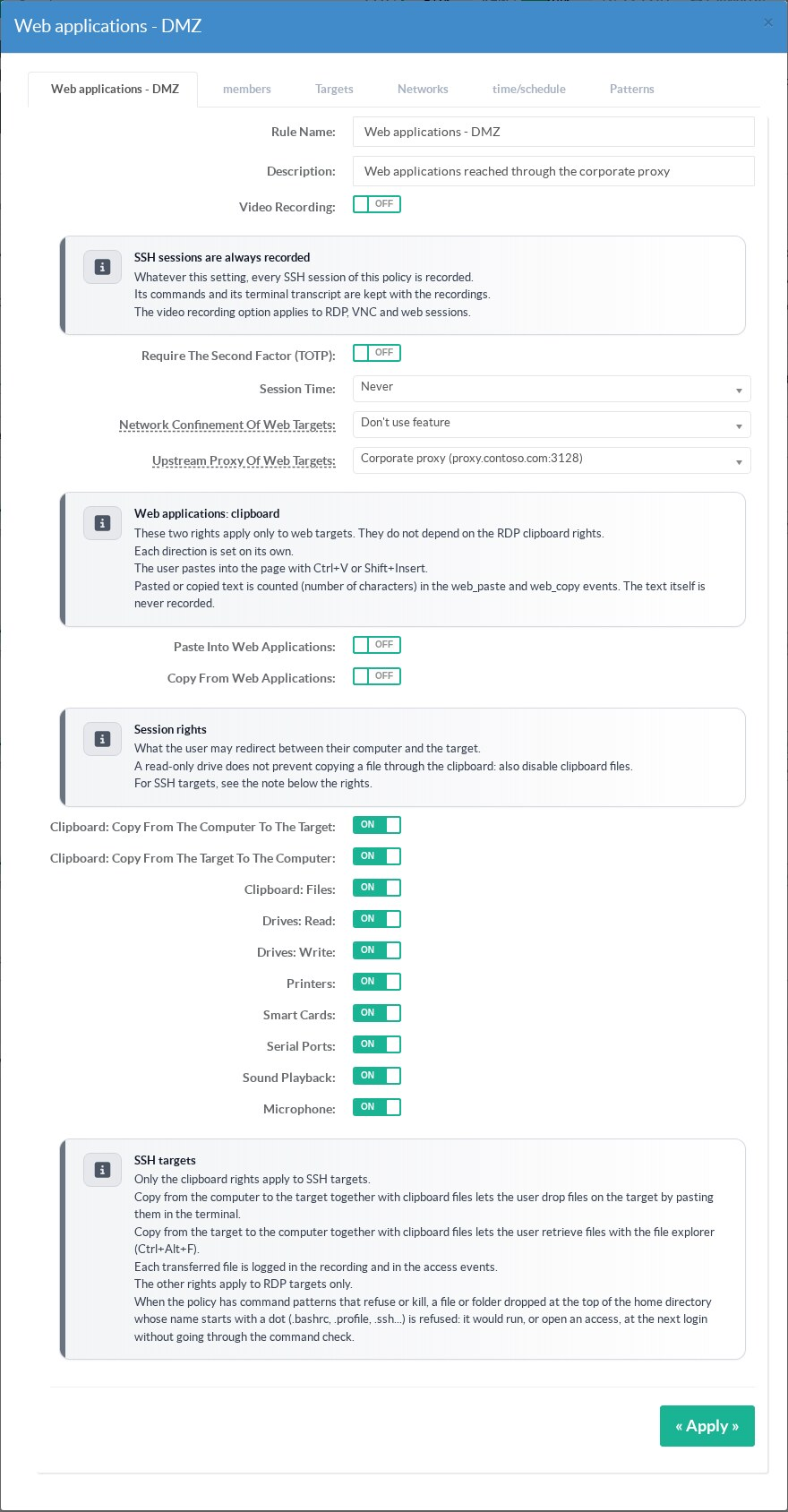
¶ Set the rights in the policy
Open the policy in Policies.
The section Web applications: clipboard holds the two switches, above the RDP session rights.
¶ Set the rights from the target
The window of a web target has a Copy and paste section.
It lists every policy that gives access to this application, with its two switches.
A click changes the policy at once.
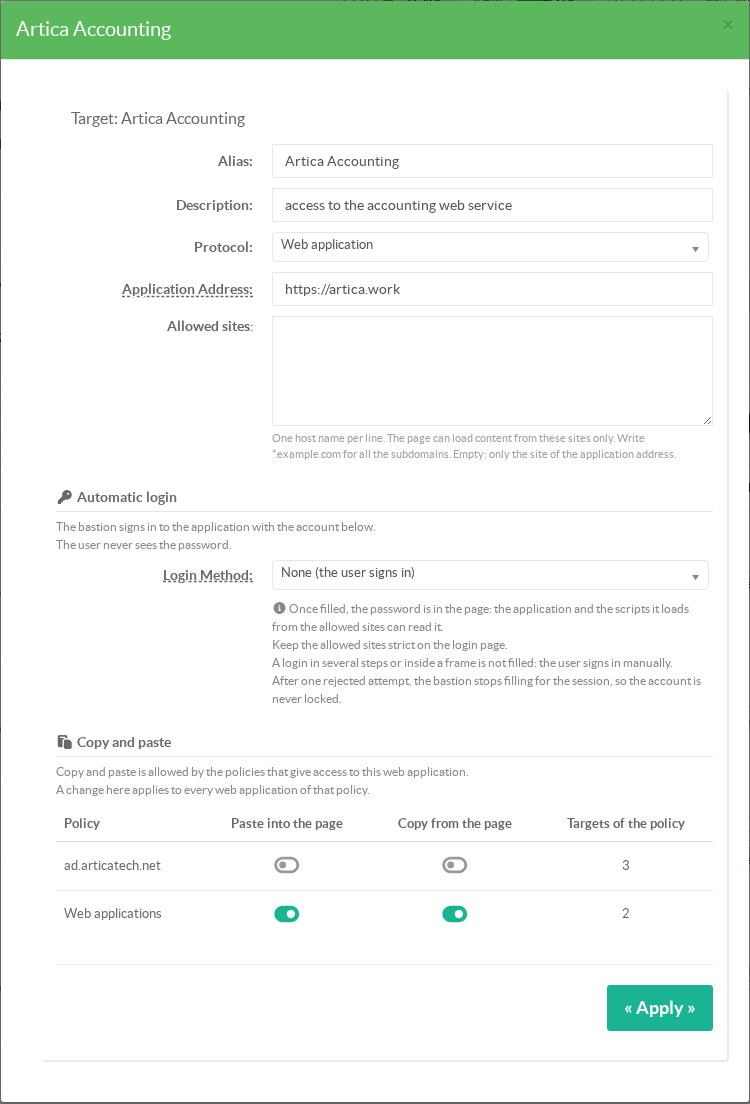
Only Web applications allows copy and paste.
The rights belong to the policy.
A change made from a target applies to every web application of that policy.
The column Targets of the policy shows how many targets share it.
¶ What the user does
| To | Do |
|---|---|
| Paste into the page | Copy the text on the workstation, click in the field, press Ctrl+V or Shift+Insert. |
| Copy from the page | Select the text in the page and press Ctrl+C. Paste it on the workstation as usual. |
The bastion asks the workstation for its text only at the moment of the paste.
Nothing is kept between two pastes, because the text can be a password.
When the right is off, Ctrl+V reaches the page as a normal key and nothing is pasted.
¶ Traces
Each paste writes the event web_paste and each copy writes web_copy.
The event holds the number of characters, never the text.
¶ Limits
- Text only.
Files and images are not transferred. - The paste item of the right-click menu of the page does nothing: the browser of the bastion has no clipboard of its own.
- A paste longer than 1 MB is refused whole.
A copy longer than 4 MB is not offered to the workstation. - The feature needs the RDS Proxy engine 12.3.24 and the authenticator 1.8.1.
With older versions, the console shows a warning and the switches have no effect yet.
¶ REST API
GET /rdpproxy/policies/{id}: the objectrightsholdsallow_web_clipboard_upandallow_web_clipboard_down.POST /rdpproxy/policies/{id}/web-clipboardwithupand/ordownset to1or0.GET /rdpproxy/targets/{id}/policies: the policies of a target and their two rights.