Internal applications often use a self-signed certificate or a certificate of a private authority.
The browser of the bastion refuses them by default, and the user would see an error page.
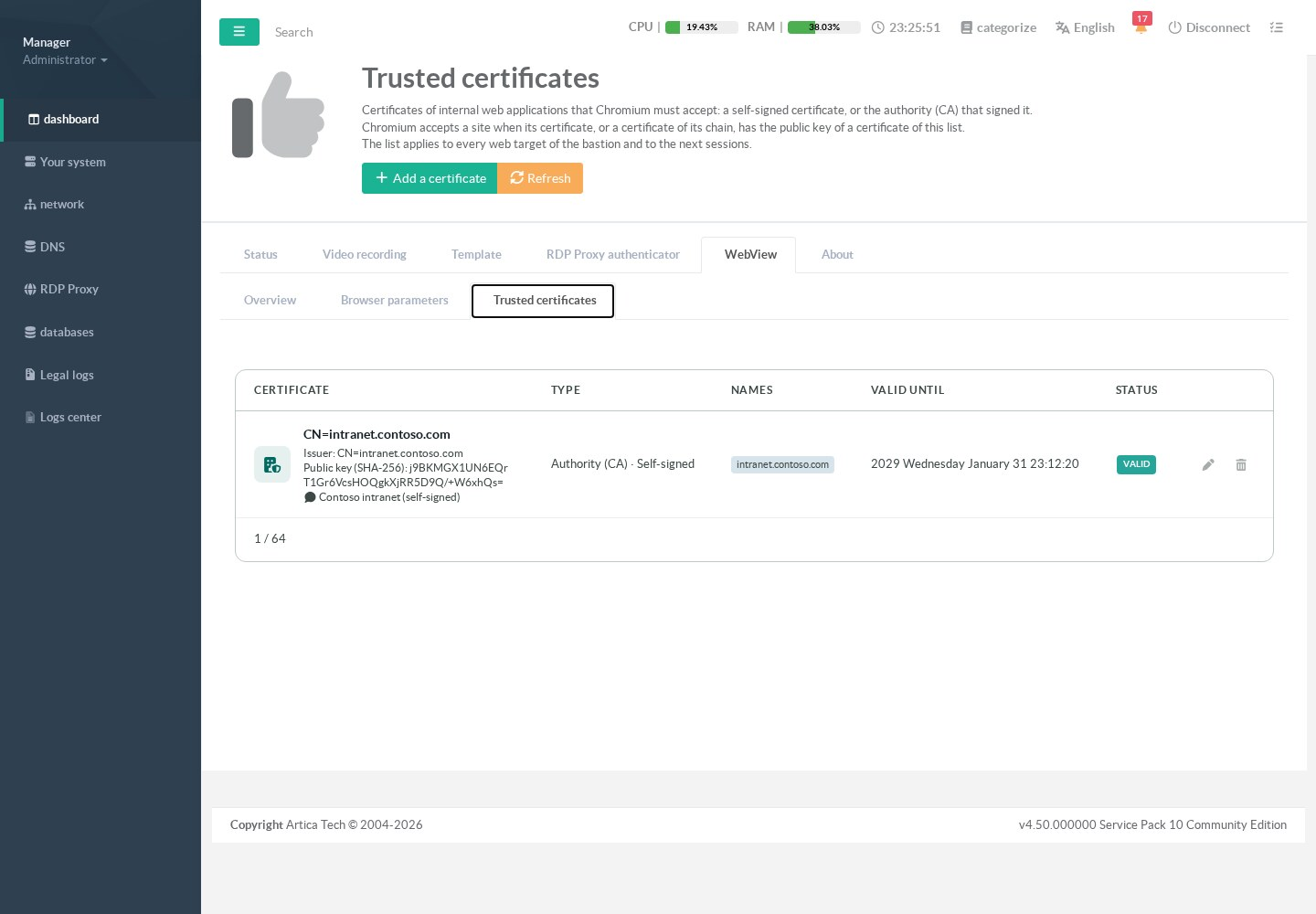
The list of trusted certificates tells the browser which ones to accept.
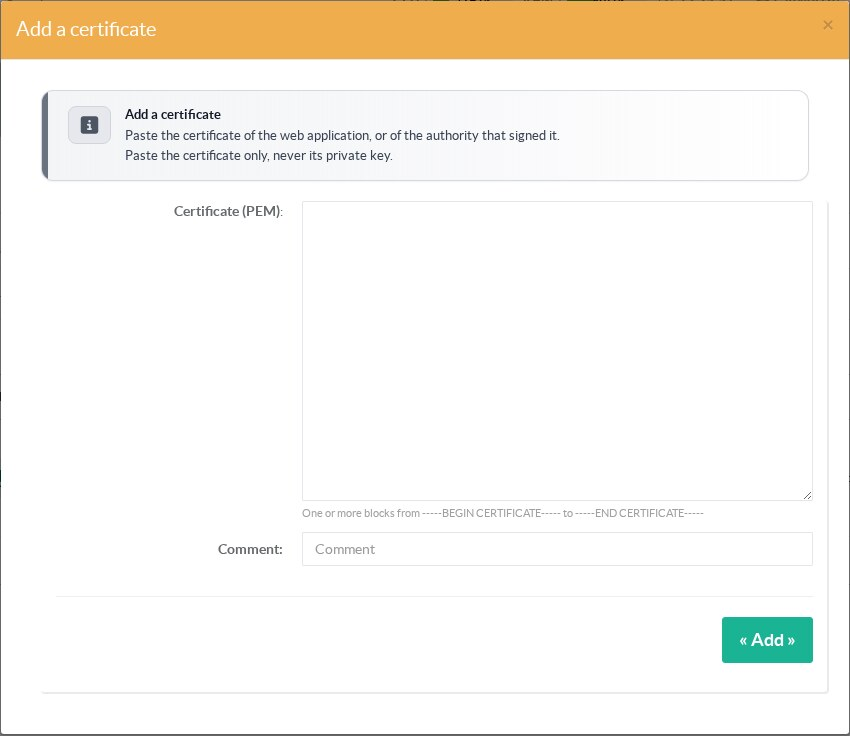
¶ Add a certificate
Open RDP Proxy > WebView > Trusted certificates and add the certificate.
Paste it in PEM format, with an optional comment.
¶ How it works
The bastion keeps the fingerprint of the public key of each certificate (SHA-256 of the SubjectPublicKeyInfo).
It writes the fingerprints to /etc/rdpproxy/webview-trust.json.
Each new web session reads this file and passes the fingerprints to the browser.
A certificate renewed with the same key stays trusted.
¶ Safety rules
- A private key pasted by mistake is refused, and nothing is stored or logged.
- The trust applies to web sessions only.
The rest of the appliance keeps its own trust store. - Remove a certificate as soon as the application has a certificate of a public authority.
¶ REST API
GET /rdpproxy/webview/trust: the list.POST /rdpproxy/webview/trustwithpemandcomment.POST /rdpproxy/webview/trust/removewithspki.POST /rdpproxy/webview/trust/commentwithspkiandcomment.