A web target can sign in to the application on its own.
The account is kept in the vault of the bastion.
The user reaches the application already signed in and never sees the password.
¶ Benefits
- Shared and service accounts stay with the administrators.
Users do not need to know them. - Changing the password of the account means changing it in one place: the target.
- The account cannot be copied from the workstation, because it never reaches it.
¶ Methods
| Method | When to use it |
|---|---|
| HTTP authentication | The application asks for an account in a browser dialog (Basic or NTLM). |
| Login form | The application shows a page with a user field and a password field. The bastion also answers an HTTP authentication request from the same site. |
¶ Configure the target
Open the web target and fill in the section Automatic login.
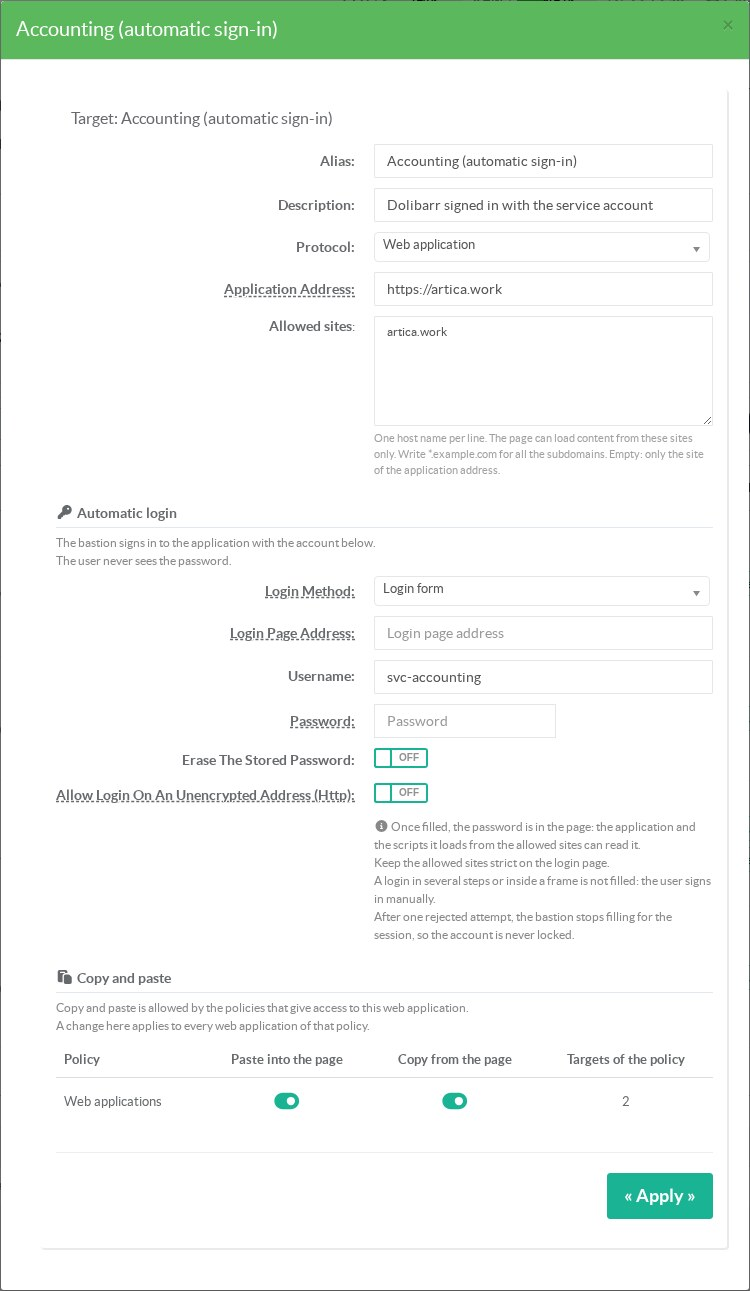
It is never shown again, in the console or in the API.
| Field | Content |
|---|---|
| Login Method | None, HTTP authentication or Login form. |
| Login Page Address | Optional. The address of the login page when it is on another site than the application address. Its site must be in the allowed sites. |
| Username | The account of the application. |
| Password | Leave it empty to keep the stored password. |
| Erase The Stored Password | Removes the stored password. |
| Allow Login On An Unencrypted Address (Http) | Off by default. A login page in http:// is refused unless this box is checked, because the password would cross the network in clear. |
¶ How the bastion fills the form
- After each page load on the login site, the bastion looks for a visible password field for up to 10 seconds.
- If there is exactly one, it takes the last text or e-mail field before it as the user field.
- It types the user name and the password like a keyboard, so React or Angular applications see the input.
- It clicks the submit button of the form, or presses Enter.
- If the password field comes back, the attempt is rejected.
The search runs in a script world of its own: the scripts of the page cannot see it.
The bastion checks the address of the page again before typing each field.
¶ Safety rules
- Only the exact login site receives the password: same scheme, same host, same port.
Another allowed site never gets it. - A form with two password fields (password change, confirmation) is never filled.
The event saysambiguous. - A form inside a frame is never filled.
- After one rejected attempt, the bastion stops filling for the rest of the session.
The account cannot be locked by the bastion. - After a sign-out, the bastion signs in again, three times at most per session.
- If the engine is too old or the password cannot be decrypted, the session is refused.
It never opens without the sign-in it was configured for.
¶ Example: a rejected account
The demo target below has a wrong password on purpose.
The bastion found the Dolibarr form, typed the service account and submitted it once.
Dolibarr refused it, and the bastion left the login page to the user.
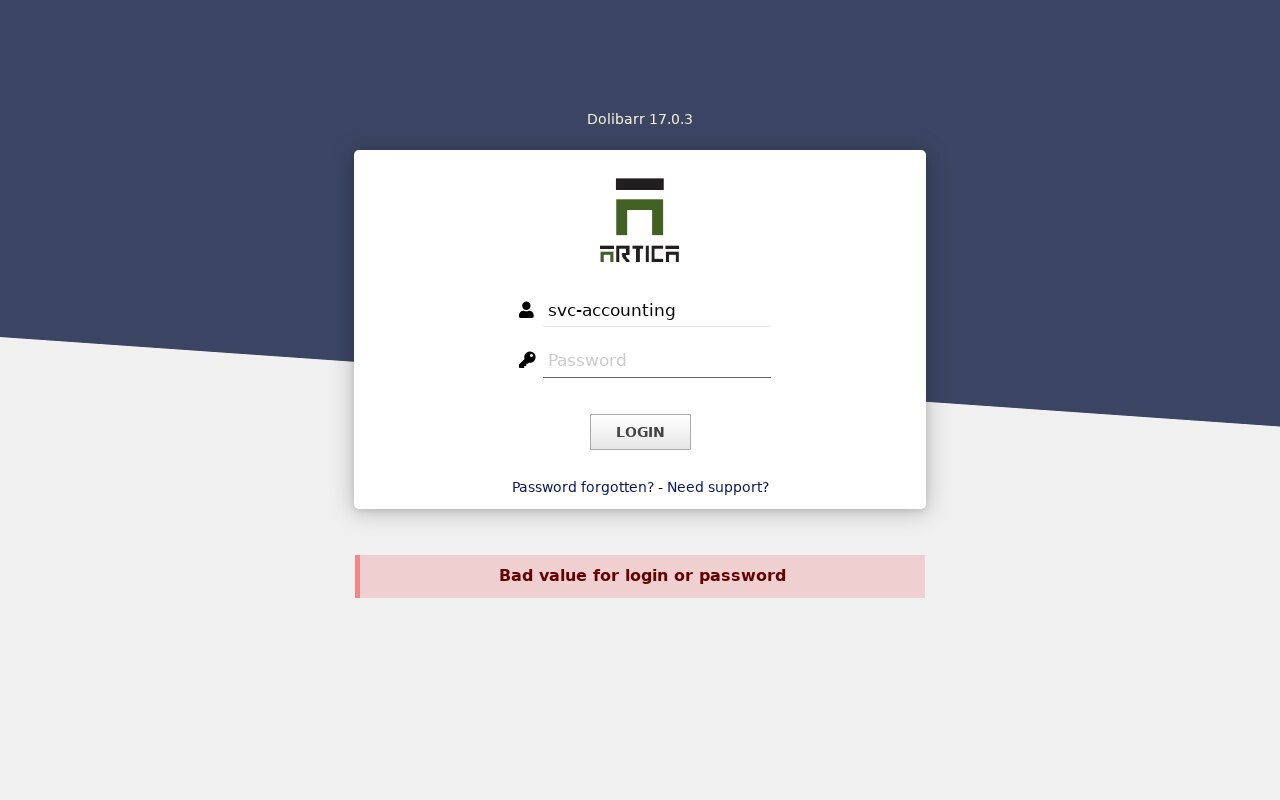
The event web_login_failed ends with rejected.
¶ Limits
- Once filled, the password is in the page.
The application can read it, and so can every script the page loads from an allowed site.
Keep the allowed sites strict on the login page. - A show password button of the application would display it to the user.
- A login in several steps (user first, then password on another page) is not filled.
The user signs in manually. - The feature needs the RDS Proxy engine 12.3.23 and the authenticator 1.8.0.
¶ Events
| Event | Subject |
|---|---|
web_login | target | account | site | form or http |
web_login_failed | target | account | site | rejected or ambiguous |
web_login_unavailable | target | engine or vault. The session was refused. |
The password never appears in the events, the logs or the API answers.