The Status tab is the lifecycle console for the Linux Audit daemon. It installs, enables, supervises and hardens
auditd, and tells you at a glance whether the service is healthy and how many audit rules are loaded.
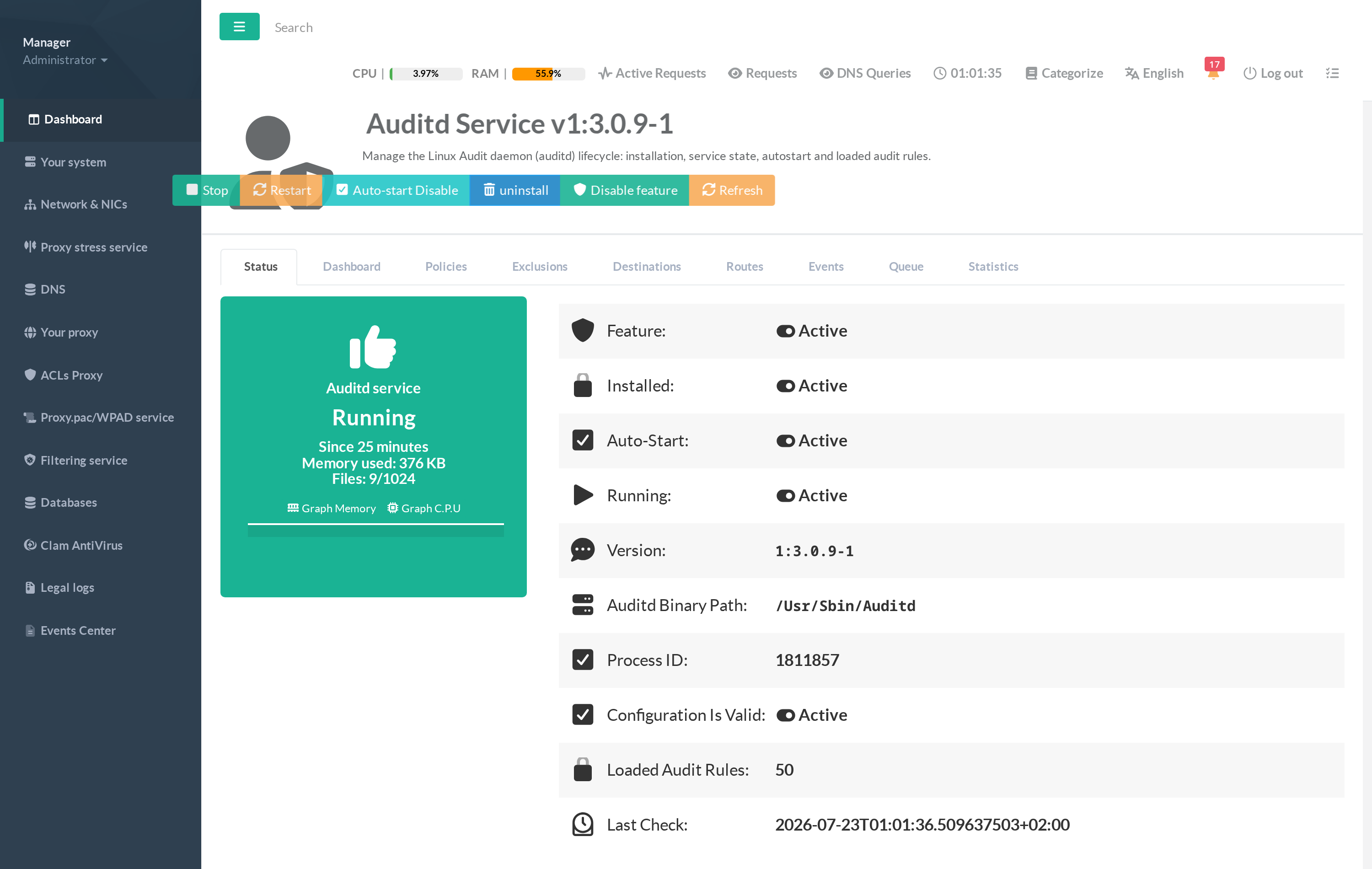
¶ What this tab shows
- Feature — whether the Auditd feature is enabled on the appliance.
- Installed — whether the
auditdpackage is present. - Auto-Start — whether the service is set to start at boot and is self-healed by the appliance.
- Running — whether the audit daemon is currently up (with uptime, memory and open-file count on the status card).
- Version — the installed auditd package version (e.g.
1:3.0.9-1). - Auditd Binary Path — the resolved path of the daemon binary.
- Process ID — the PID of the running daemon.
- Configuration Is Valid — the result of a configuration check on
/etc/audit/auditd.conf. - Loaded Audit Rules — the number of active rules in the kernel (the CIS best-practice set loads ~50 rules).
- Last Check — when the status was last refreshed.
¶ The action buttons
- Enable feature / Disable feature — installs the daemon, loads the CIS best-practice rules and starts the service; disabling stops supervision and removes the Artica rule file (your audit logs are kept).
- Stop / Restart — control the running daemon.
- Auto-start Enable / Disable — control whether the appliance keeps the service running and starts it at boot.
- Uninstall — removes the audit daemon. Audit logs under
/var/log/auditare preserved by default. - Refresh — re-reads the live status.
¶ Hardening & CIS rules
Enabling the feature also applies a hardened auditd.conf (mail on low disk space, admin_space_left_action, log-retention action) and writes the CIS-aligned rule set to /etc/audit/rules.d/99-artica.rules. These rules match the exact controls a CIS scanner looks for (4.1.3 time-change through 4.1.16 kernel-module loads), so Loaded Audit Rules becomes non-zero as soon as the feature is enabled.