The Queue tab is the delivery console. It shows the state of the forwarding queue, retries transient failures automatically, and keeps permanently-failing events in a dead-letter queue so nothing is silently lost.
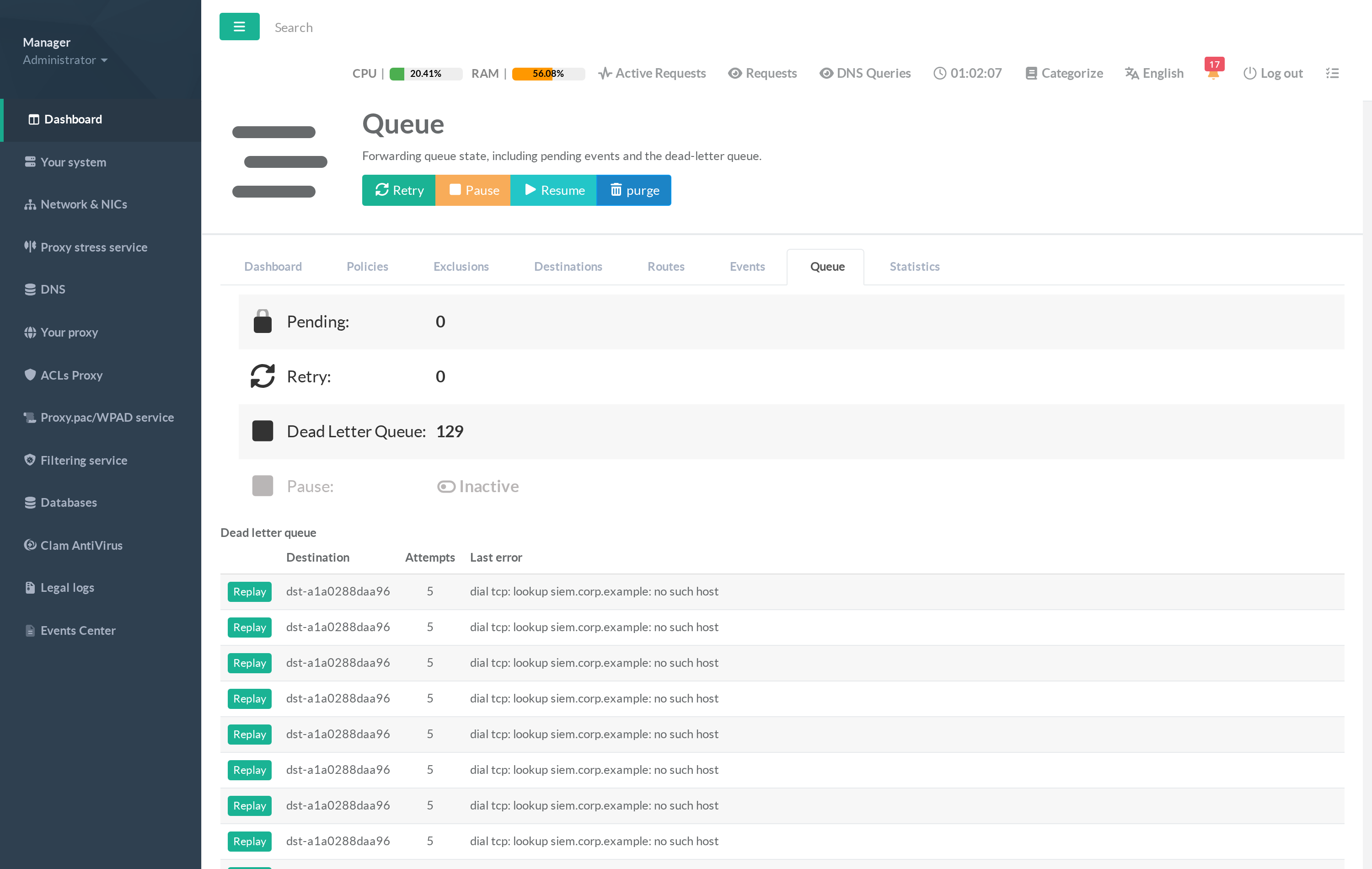
¶ What this tab shows
- Pending — events waiting for their first delivery attempt.
- Retry — events that failed once and are waiting for the back-off timer before the next attempt.
- Dead Letter Queue — events that exhausted their retries. They are listed below with their destination, attempt count and last error (e.g. "dial tcp: lookup siem.corp.example: no such host").
- Pause — whether delivery is currently paused.
¶ Actions
- Retry — force an immediate delivery attempt for queued events instead of waiting for the back-off timer.
- Pause / Resume — temporarily stop or restart delivery (useful during SIEM maintenance).
- Purge — clear the pending queue.
- Replay — re-inject a specific dead-letter entry once its destination is fixed.
Delivery uses exponential back-off (from a second up to several minutes) so a briefly-unreachable SIEM does not drop events. A full dead-letter queue almost always means a destination is misconfigured — check it on the Destinations tab with Test, then Replay the parked events.