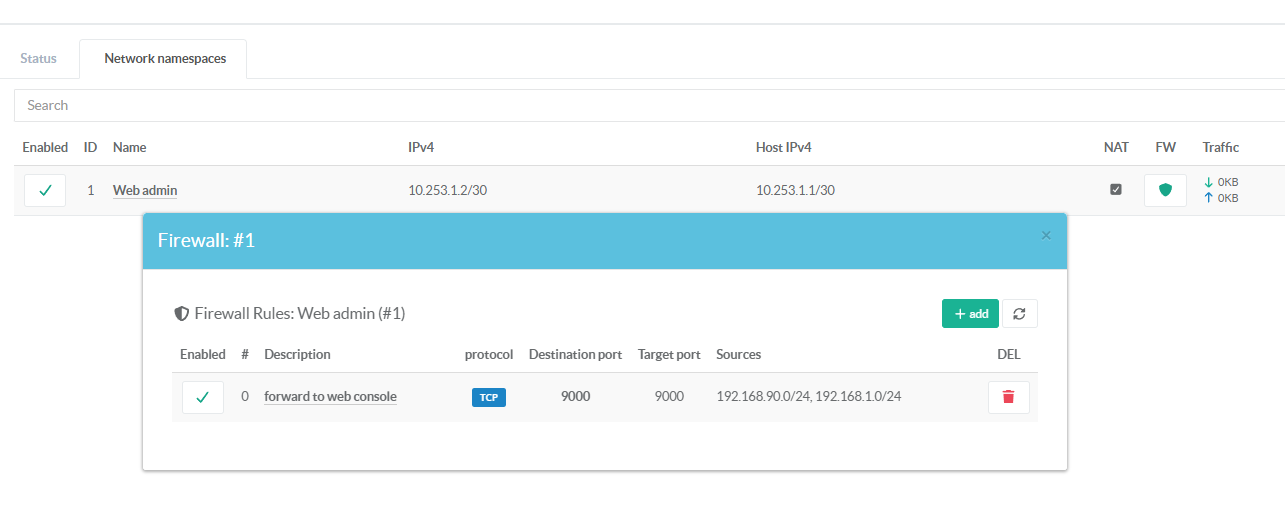
Without a firewall rule, the namespace IP is only reachable from the host itself (through the veth pair).
To allow external clients to reach the service.In this example, we will create a firewall rule to forward requests received on port 9000 of the physical network interface to the web console listening on port 9000 inside the network namespace.
- On the namespaces section, click on the shield green icon.
- Click on Add button
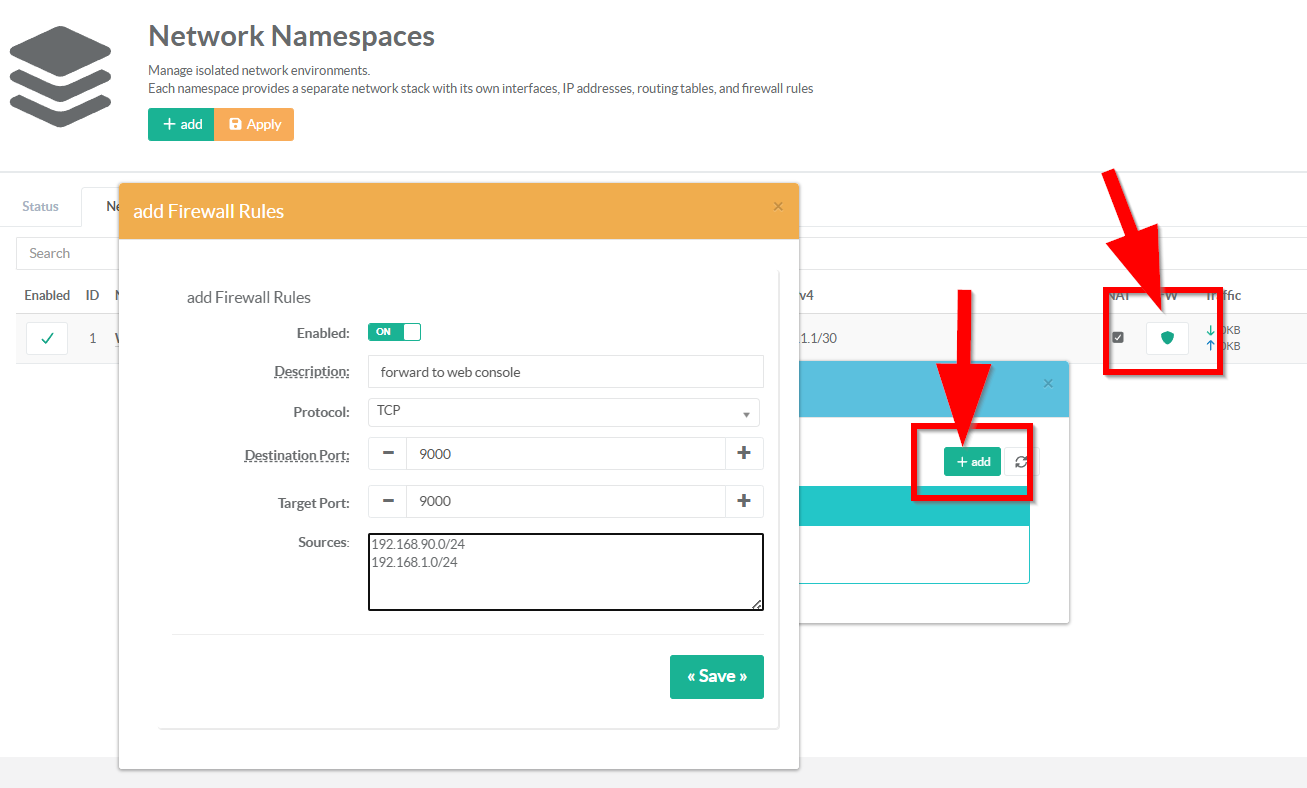
- Description:
Enter a short description that explains the purpose of this firewall rule for future reference.
This text is displayed in the rules table as the main clickable label for editing the rule.
- Protocol:
The IP protocol to match for this DNAT rule.
Only tcp and udp are supported.
Defaults to tcp if empty or unset.
- Destination Port (numeric, required, 1–65535)
Enter the port number on the host that external clients will connect to (e.g., 2222 for SSH, 8443 for HTTPS, 9000 for web console in our case).
This is the publicly visible port — it is matched in the iptablesPREROUTINGchain on the host's network stack.
- Target port: ( 0 = same as Destination port)
The port number that the service inside the namespace listens on (e.g., 22 for SSH, 443 for HTTPS, 9000 for artica Web console).
Leave empty or set to `0` to use the same port as the destination port — the traffic is forwarded without port translation.
This enables port remapping: external clients connect to host port 2222, but the namespace service listens on port 22.
- Sources:
A list of source IP addresses or CIDR networks allowed to use thisDNATrule.
When populated, the backend creates a rule to only accepts packet from the defined list.
When empty, the rule accepts traffic from any source IP.
Enter IP addresses or CIDR networks that are allowed to reach this forwarded port, one per line.
Leave empty to allow connections from any source IP address — the port will be open to the entire network.
Accepted formats: single IPs (203.0.113.5), CIDR subnets (10.0.0.0/8), or mixed — one entry per line.
Once the rule is added, it is immediately created and activated on the system.