The RDS Proxy can show an IT charter to every user before they reach a server.
The user reads the text and clicks I accept or I decline.
Declining closes the session.
Each answer is written to the access events.
¶ Benefits
- You can prove who accepted the charter.
Every answer is recorded with the user name, the source address, the date and a fingerprint of the text.
The fingerprint tells which version of the charter the user saw. - Nobody reaches a server without accepting it.
The list of servers only appears after I accept.
Declining, closing the window or not answering ends the session. - Users read the rules before they act.
Recording, logging and usage rules are on screen at each connection.
Nobody can say they did not know the session was recorded. - Nothing is installed on the workstations or on the servers.
The gateway draws the charter in the Remote Desktop window.
It works with mstsc, FreeRDP and any RDP client, for RDP, VNC and SSH targets. - A new text applies from the next connection.
The service is not restarted and open sessions keep running. - A declined charter reaches your Artica SIEM like any other refused access.
¶ How it works
- The user opens a Remote Desktop connection to the Artica appliance.
- The gateway checks the account, the source network, the schedule and, when the policy asks for it, the second factor.
- The charter appears in a dialog box.
A long text scrolls inside the box. - The user clicks I accept.
The list of targets opens. - Or the user clicks I decline.
The session closes.
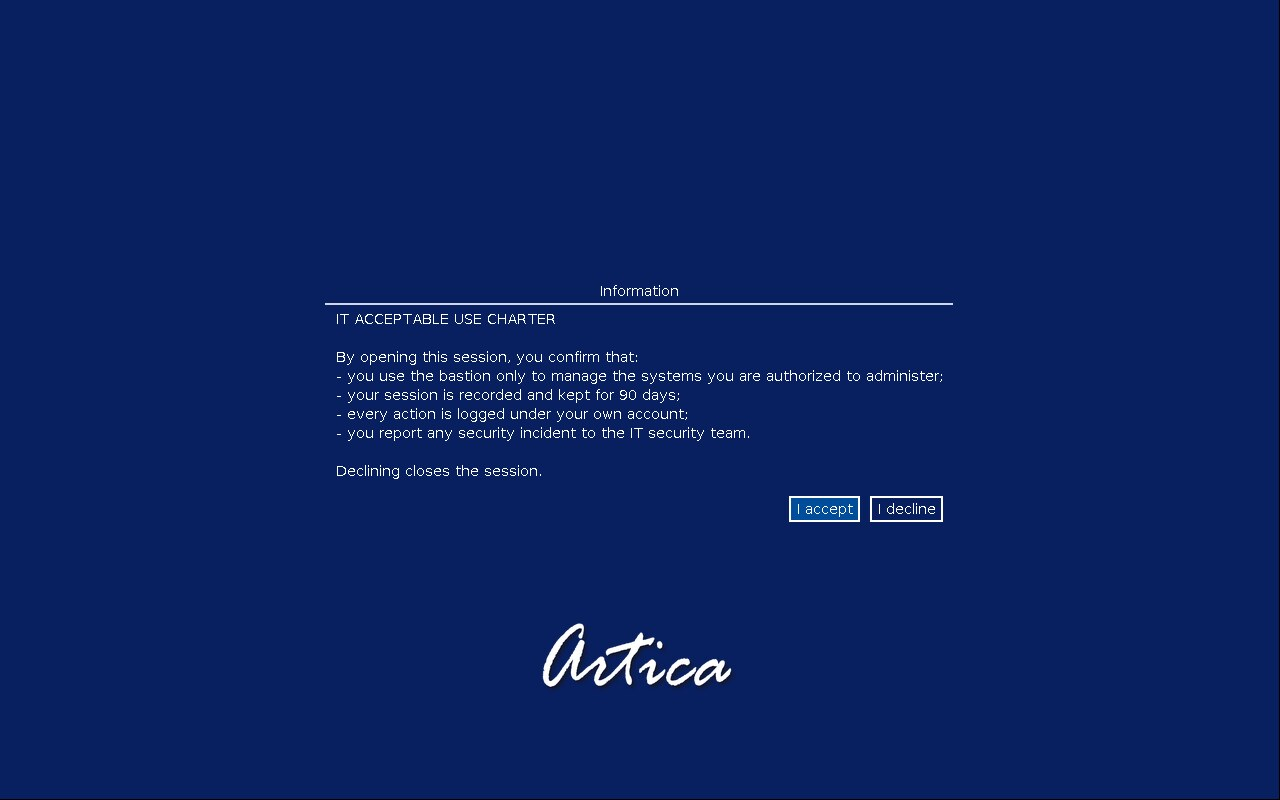
The line breaks of the text are kept.
The charter is shown at every connection.
It also applies to a direct connection with the user/computer syntax.
When mstsc sends saved credentials, the login screen is skipped but the charter is still shown.
¶ Requirements
- The authentication service of the gateway (authhook) must be version 1.6.2 or later.
- An older version keeps working, but it never shows the charter.
The console then displays a warning under the charter settings.
¶ Set up the charter
- Open RDS Proxy » Status and click the Template tab.
- Scroll down to the Usage charter section.
- Click the pencil of Ask users to accept the charter or Charter text.

- Turn on Ask users to accept the charter.
- Type or paste the text in Charter text.
- Click Apply.
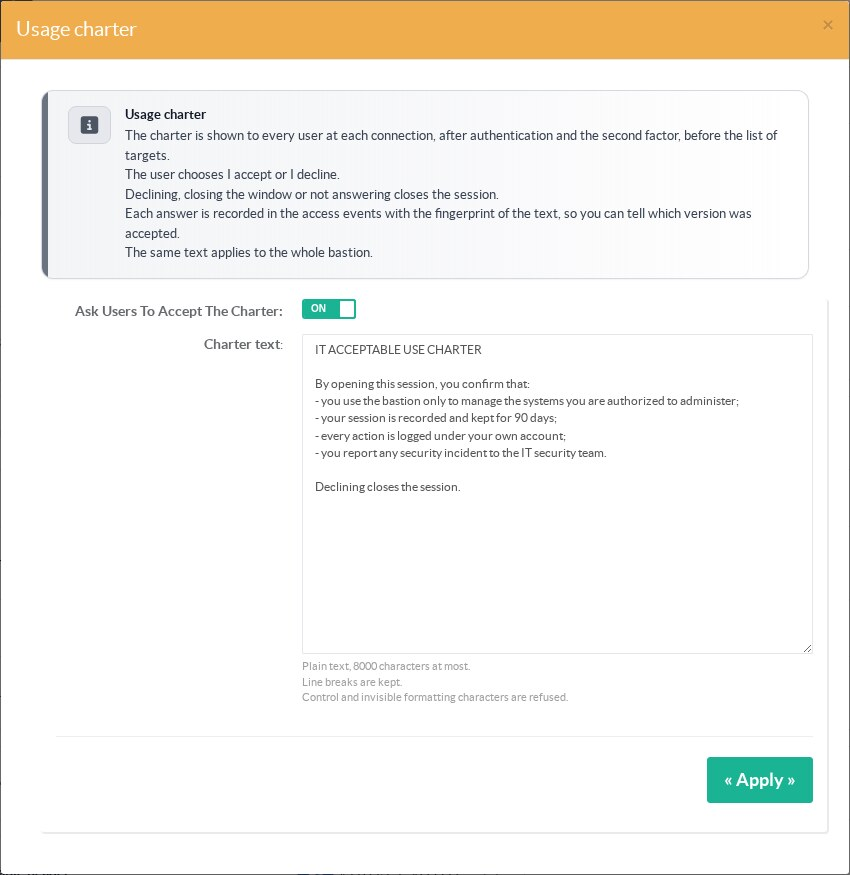
It applies from the next connection.
¶ Rules for the text
| Rule | Detail |
|---|---|
| Length | 8000 characters at most. |
| Format | Plain text. Line breaks are kept. A tab becomes four spaces. |
| Refused characters | Control characters and invisible formatting characters, such as right-to-left marks and zero-width spaces. They could hide or reverse part of the text on screen. |
| Empty text | An enabled charter needs a text. The console refuses to save it otherwise. |
| Disabled charter | The text is kept as a draft. Turning the charter on again shows the same text. |
The same text applies to the whole gateway.
It does not change with the policy or the target.
¶ What the user sees
After I accept, the list of targets opens as usual.
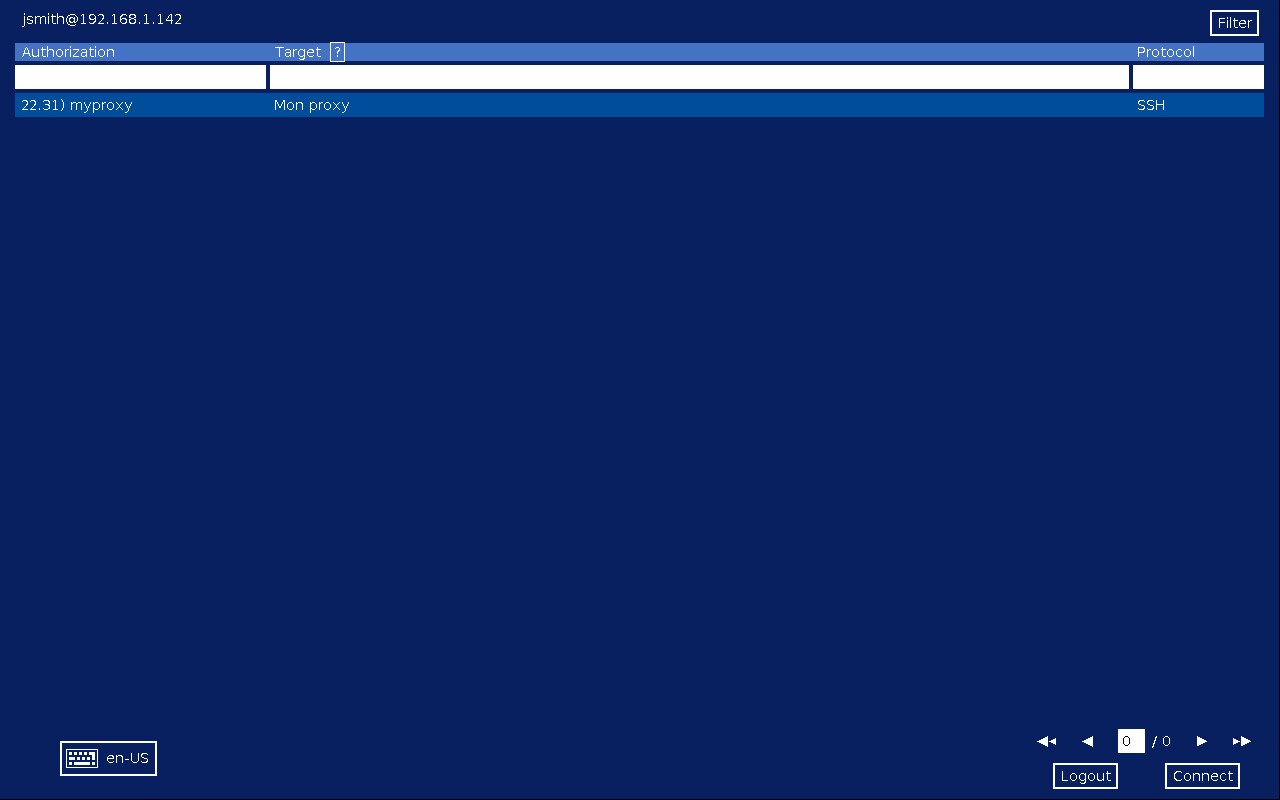
The user picks a target.
After I decline, the gateway shows why the connection ends, then closes it.
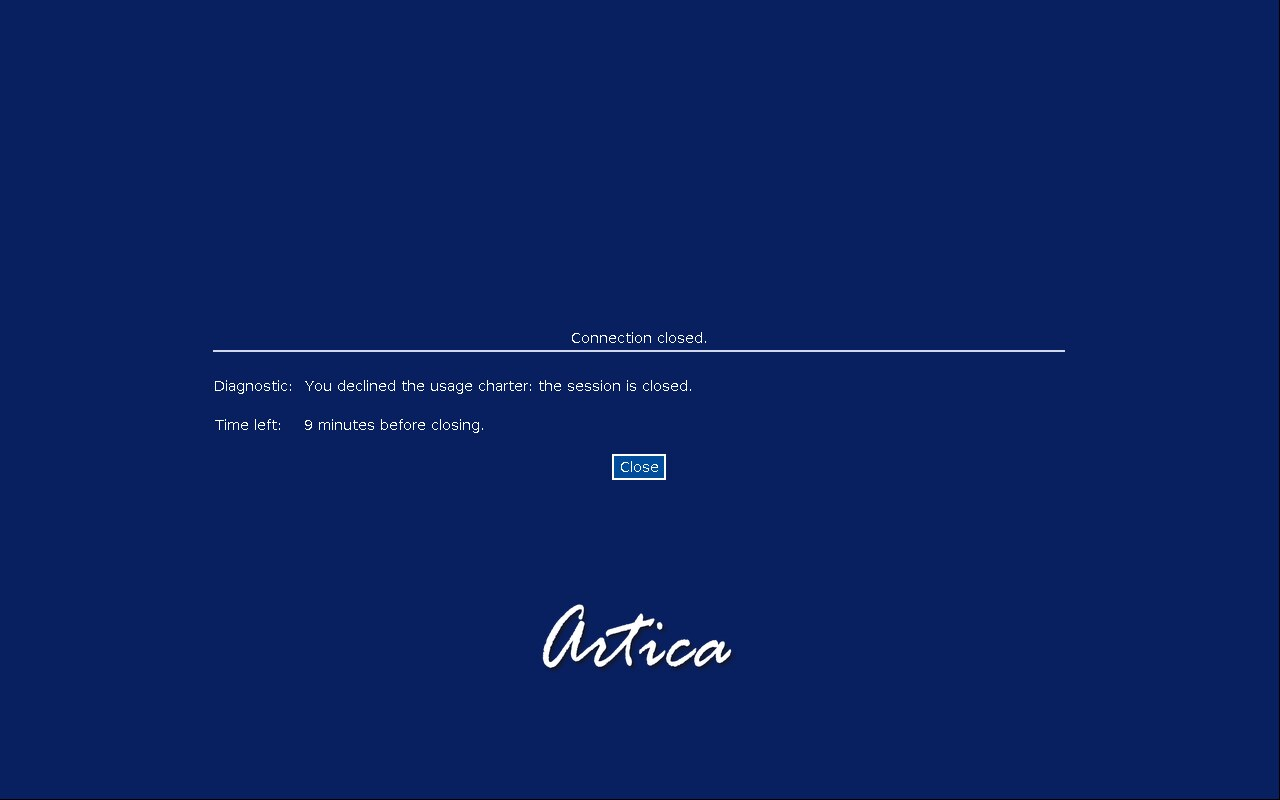
¶ Track the answers
Open RDS Proxy » Events, first tab Access events.
Two reasons concern the charter:
| Reason | Event text | Meaning |
|---|---|---|
| Charter accepted | Usage charter accepted | e7c55f3a0972 |
The user clicked I accept. |
| Charter declined | Usage charter declined | e7c55f3a0972 |
The user clicked I decline, closed the window or did not answer. The session was closed. |

The 12 characters after the bar are the fingerprint of the text.
The Charter text line of the Template tab shows the fingerprint of the current text.
When you change the text, the fingerprint changes.
The events keep the fingerprint of the version the user actually saw.
Keep a copy of each version of the charter with its fingerprint.
It lets you match an old event to the exact text the user accepted.
A declined charter is also sent to the SIEM as a refused access, with the reason charter_refused.
Accepted charters stay in the local access events.
¶ Good to know
- The charter is shown before the target connection.
It is not part of the video recording, which starts when the target connects.
The access event is the proof of acceptance. - The user cannot skip the dialog.
The only ways out are the two buttons or the end of the connection. - A user who never answers is disconnected when the connection times out.
The event then says Charter declined. - The answer is not remembered between connections.
The user accepts the charter each time.
¶ REST API
The charter has two routes on the local API socket.
See the RDS Proxy REST API page for the access rules.
SOCKET=/usr/share/artica-postfix/bin/run/articarest.sock

# Read the charter
curl -s --unix-socket $SOCKET http://localhost/rdpproxy/charter

# Enable it with a new text
curl -s --unix-socket $SOCKET -X POST -H 'Content-Type: application/json' \
  -d '{"enabled":"1","text":"IT ACCEPTABLE USE CHARTER\n\nYour session is recorded."}' \
  http://localhost/rdpproxy/charter

# Disable it (the text is kept)
curl -s --unix-socket $SOCKET -X POST -H 'Content-Type: application/json' \
-d '{"enabled":"0"}' http://localhost/rdpproxy/charterThe answer holds enabled, text, chars, fingerprint and supported.supported is false when the running authhook is older than 1.6.2.
A refused text returns the HTTP code 400 with the reason, and nothing is saved.
¶ Troubleshooting
| Symptom | Check |
|---|---|
| The charter never appears | Check that Ask users to accept the charter is active. Look for the warning about the authhook version in the Usage charter section. |
| The console refuses the text | Read the reason in the error box. Remove characters pasted from a word processor, or shorten the text. |
| Users are disconnected right after the login | Open the access events and filter on Charter declined. A client that cannot display the dialog never answers. |